Alazar Designs

Have a project in mind?

Book a call today?

Nucleus Studio

Summary

I led the end-to-end product design of Nucleus Studio, an AI automation platform that transforms complex AI systems into an intuitive, scalable user experience. My work focused on structuring the platform, defining the UX strategy, and designing core interactions across data integration, the visual automation editor, and AI-driven workflows.

I collaborated closely with engineers and AI teams to translate advanced concepts into clear, usable interfaces.

Role

Product Design

Product Design

Client

Nucleus

Year

2024

Overview

Redefining how teams work with AI

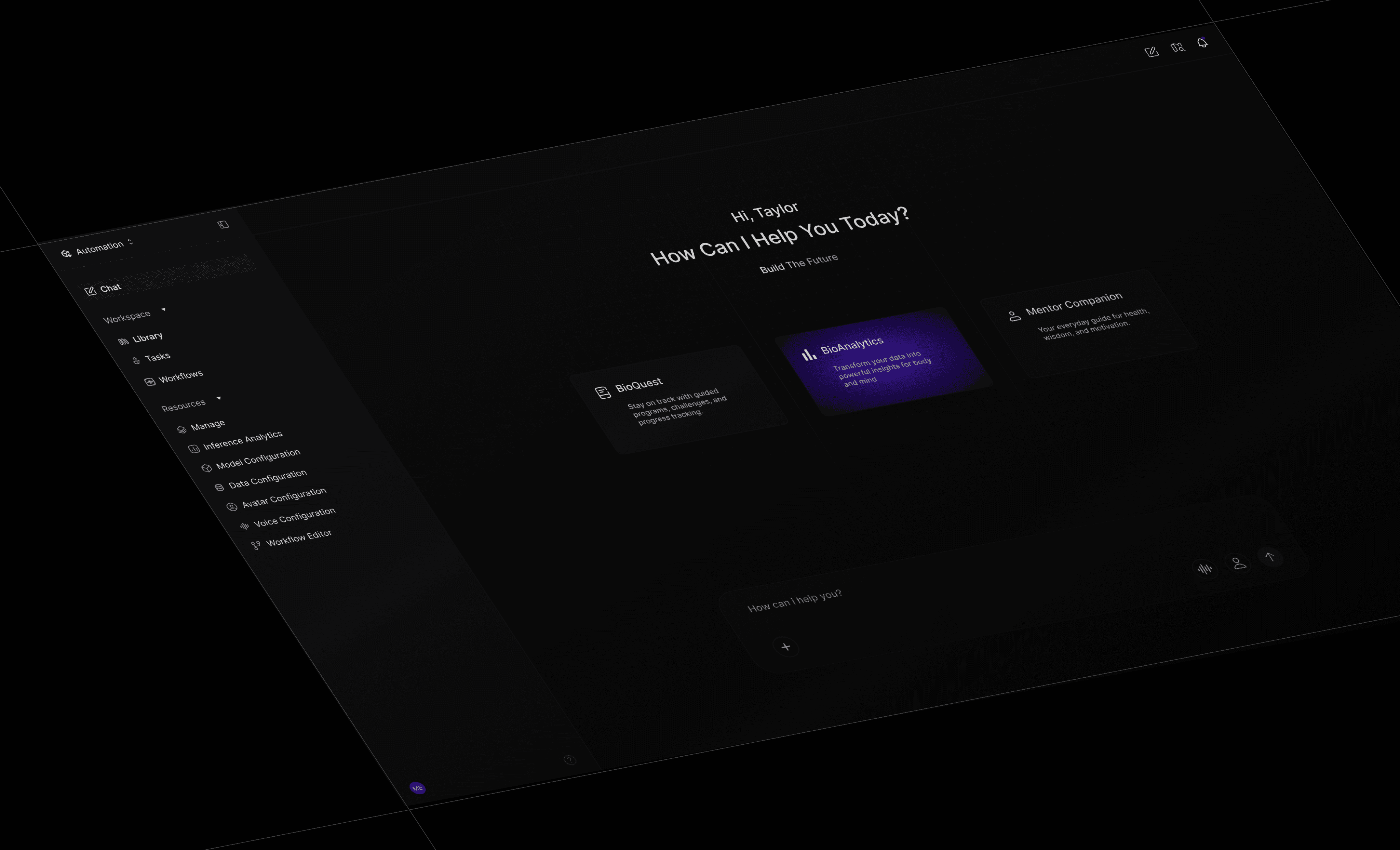
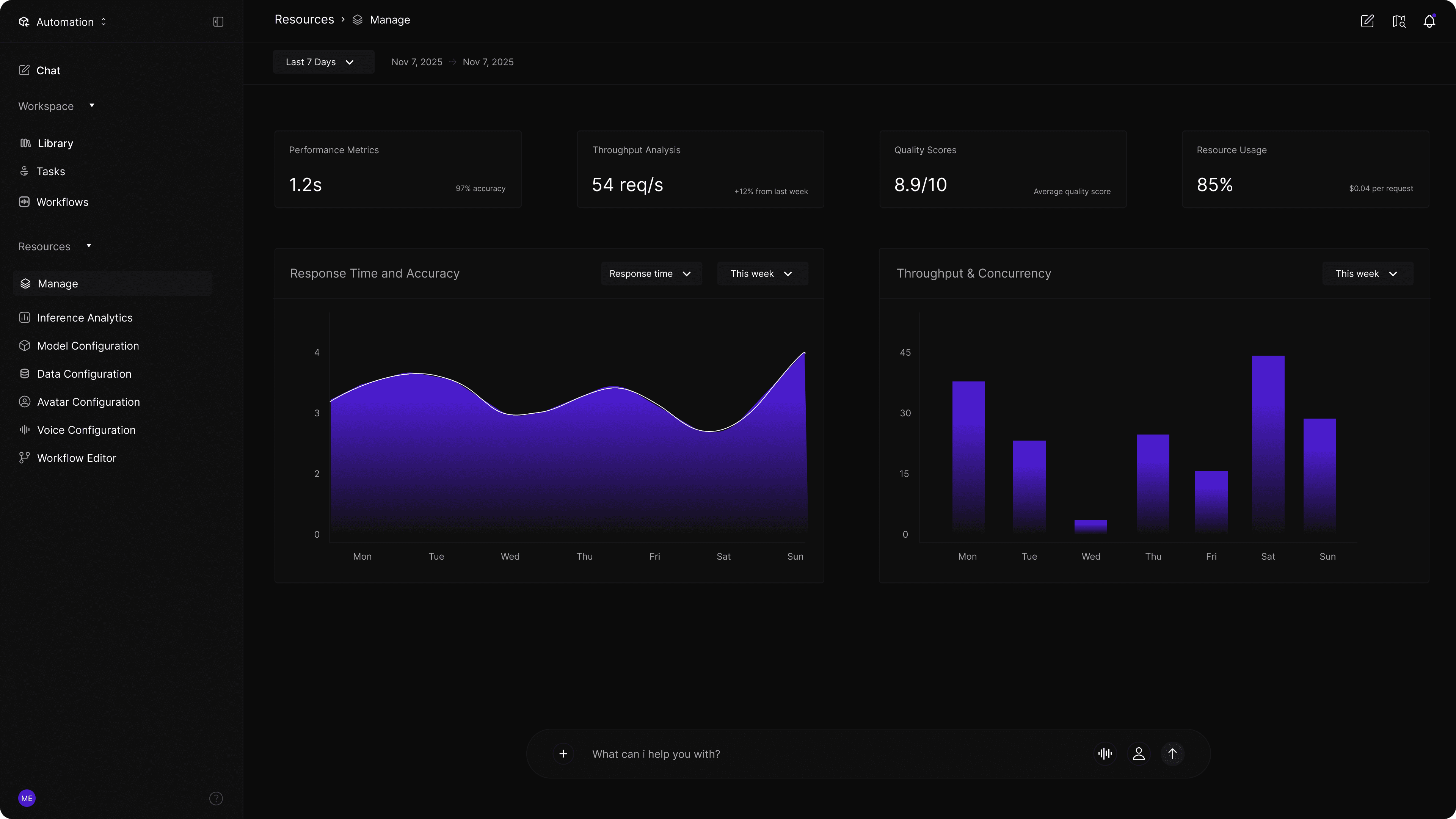
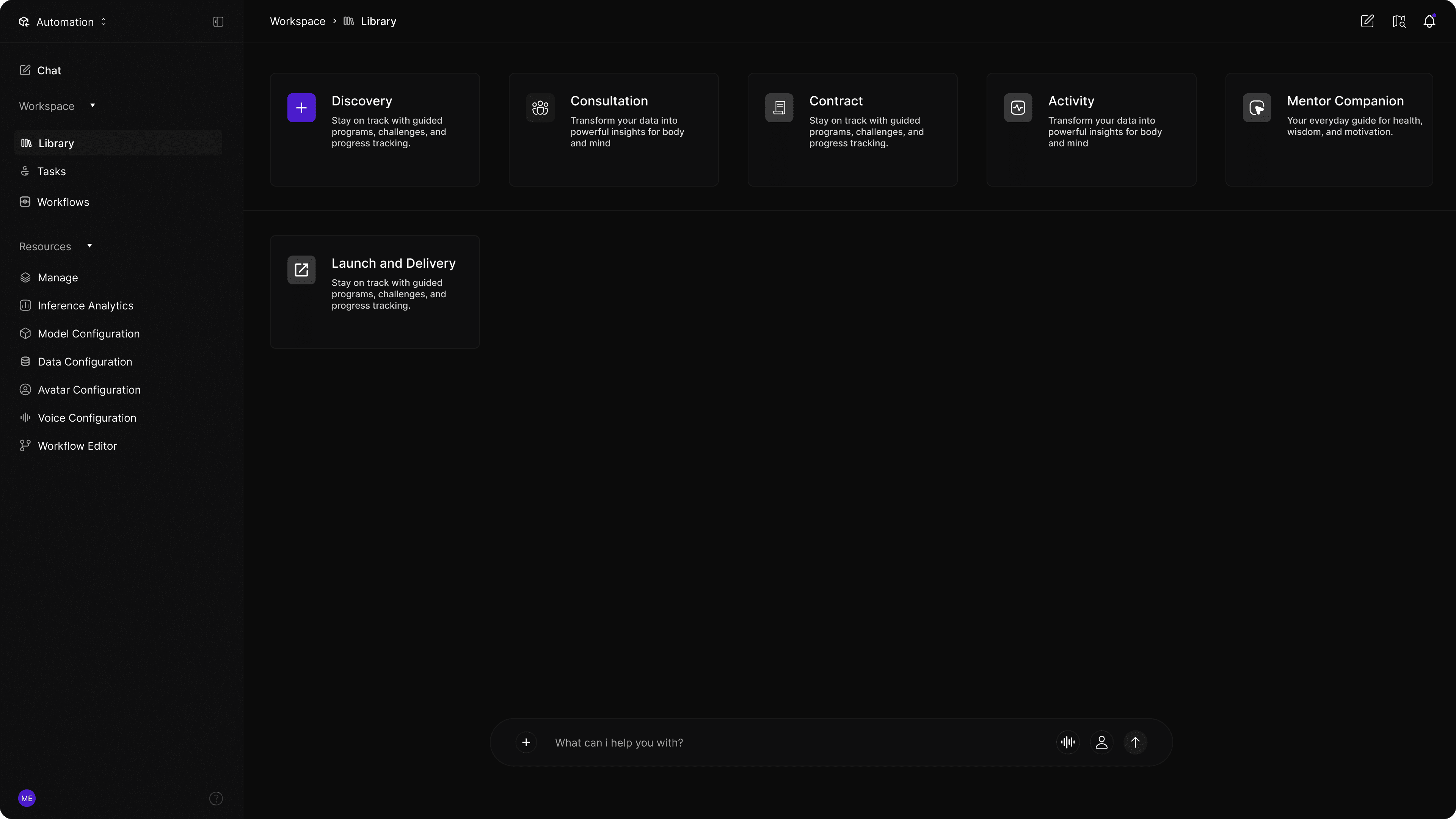
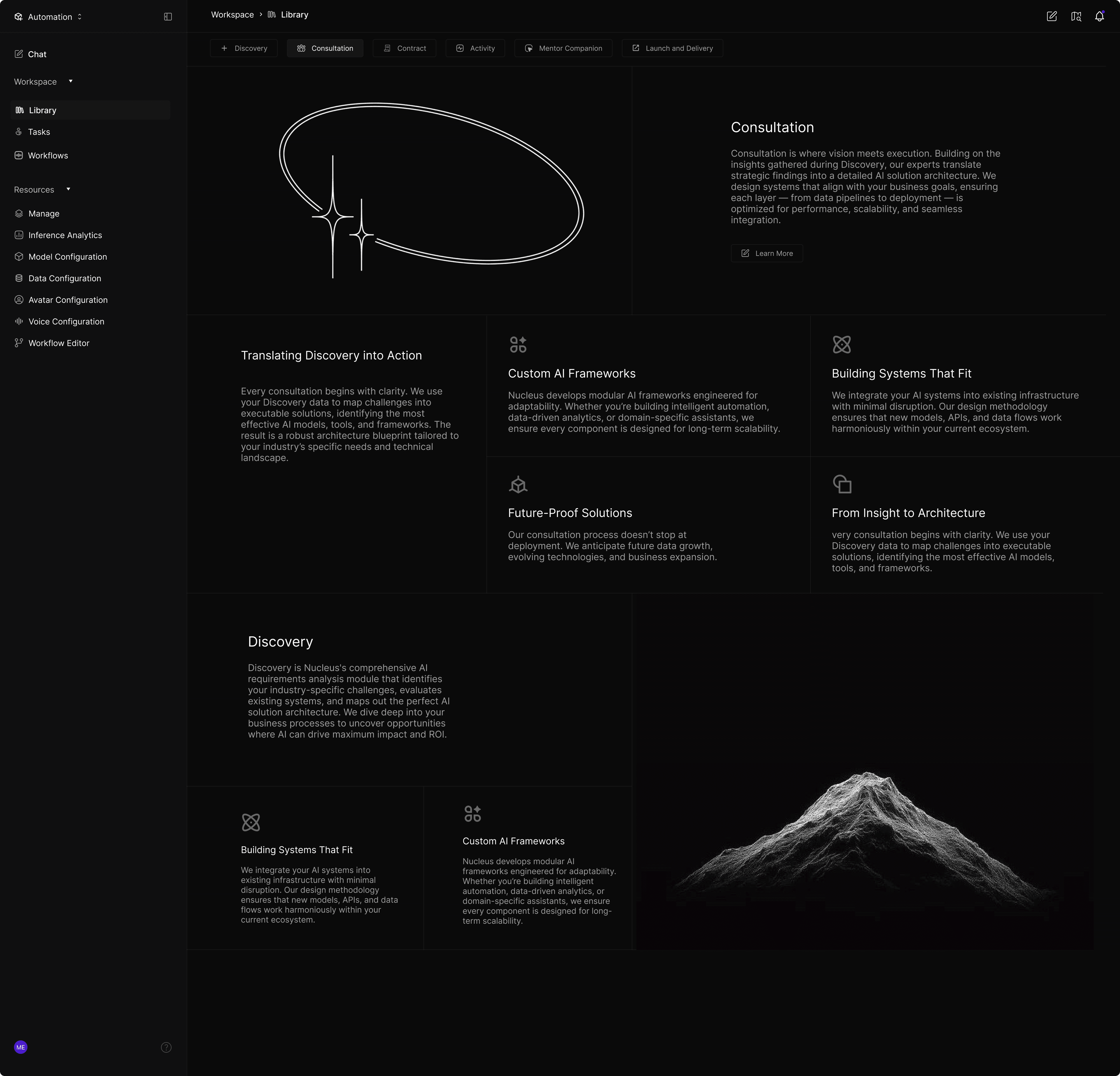
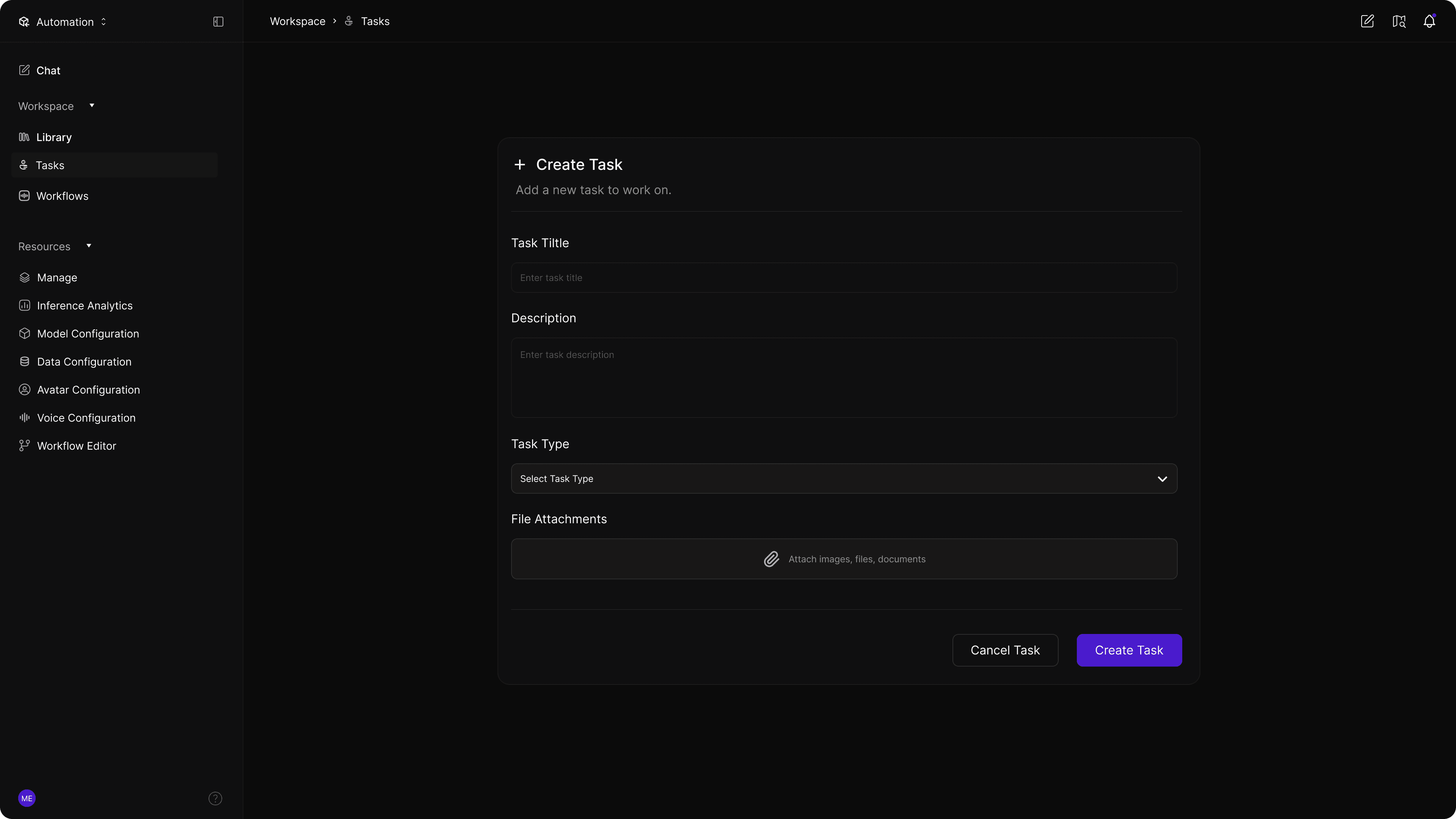
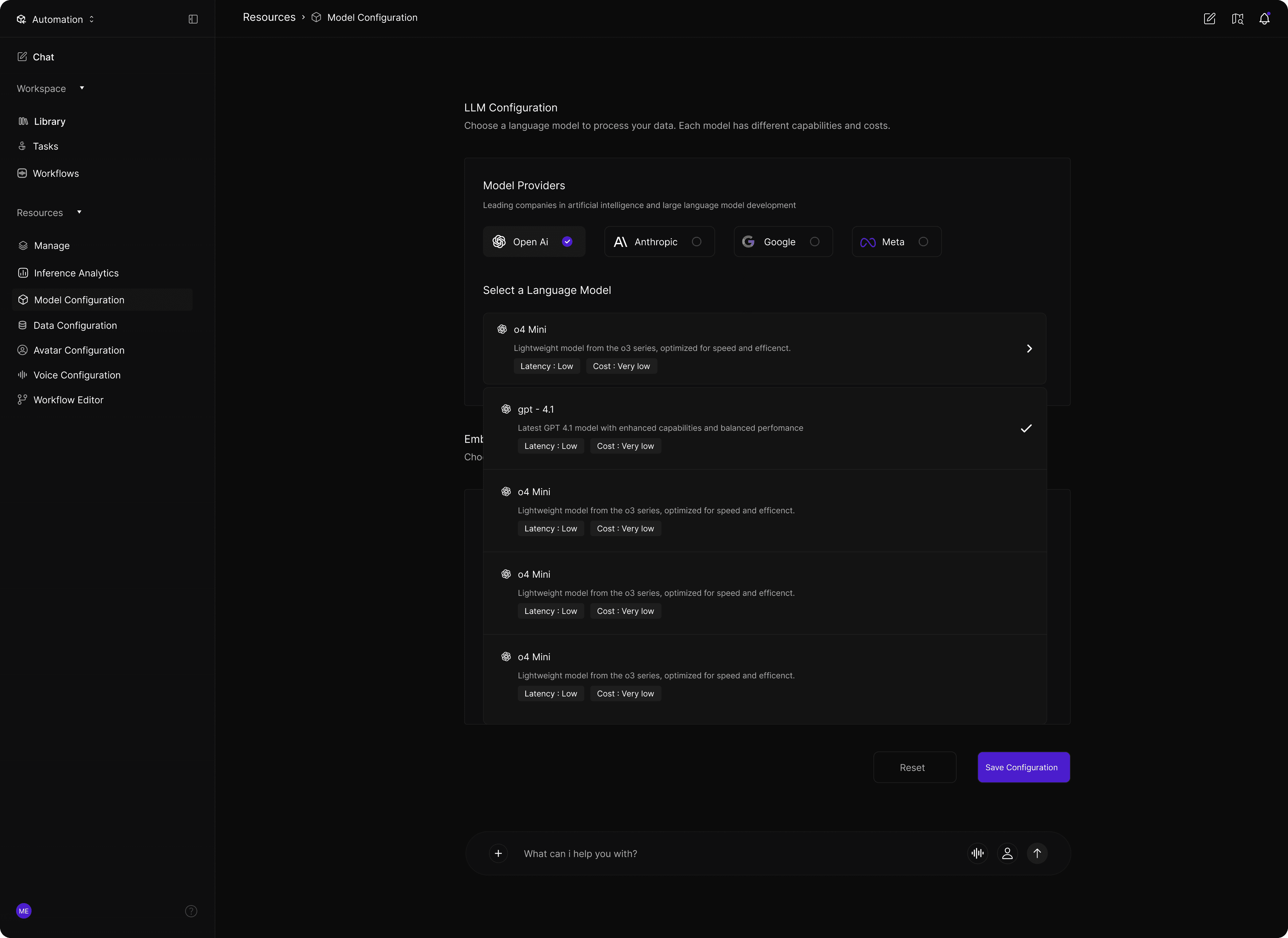
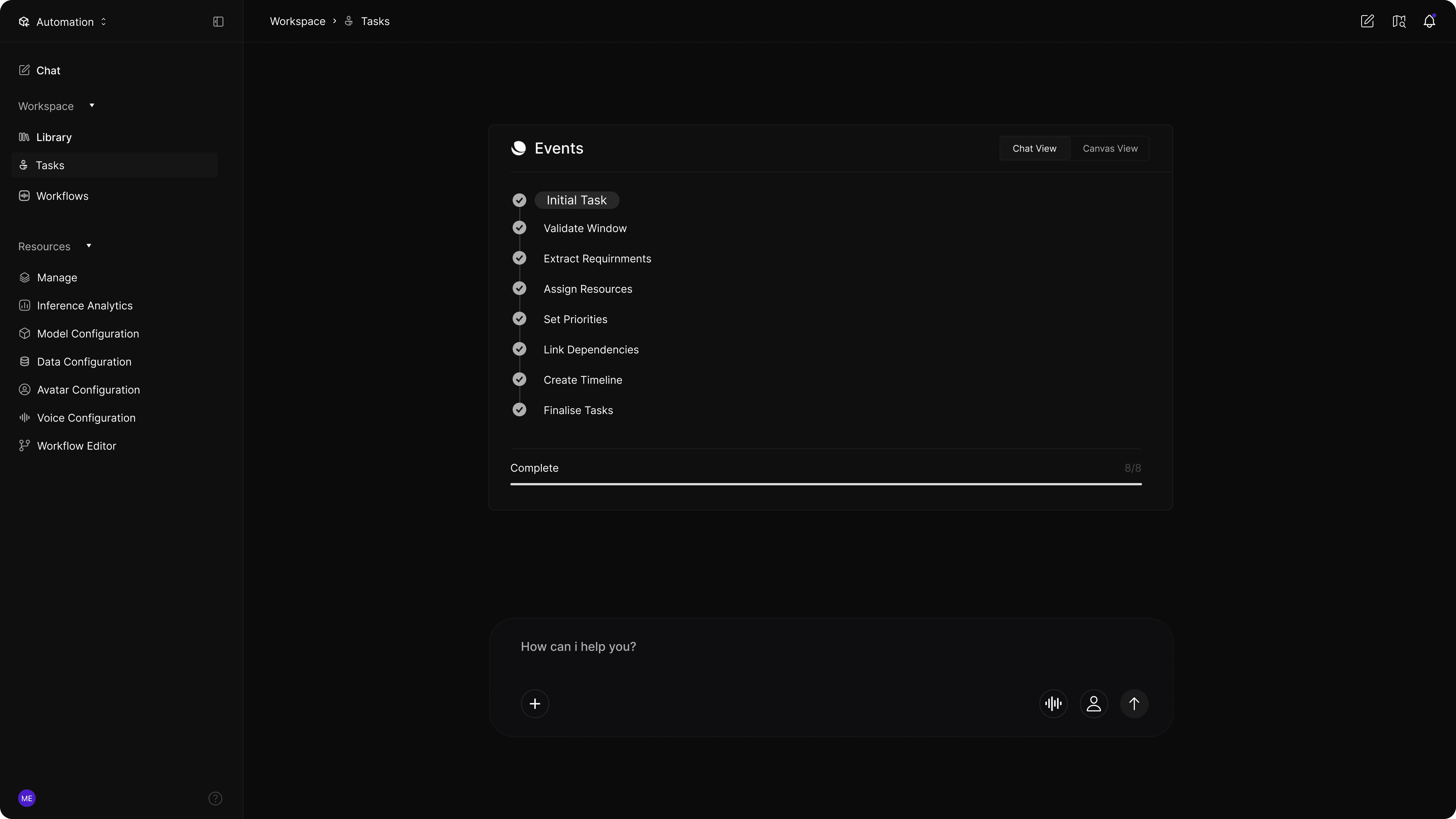
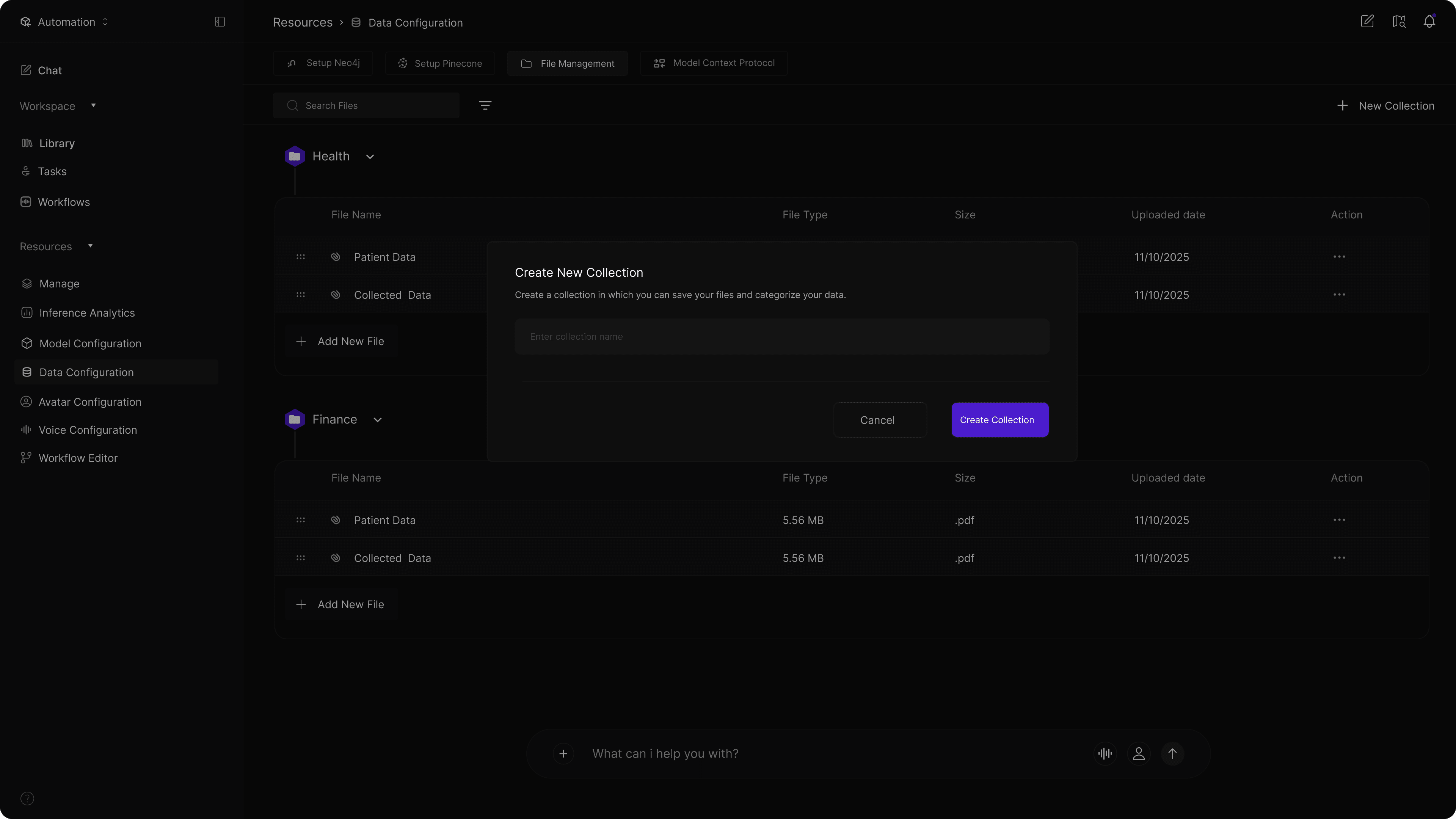
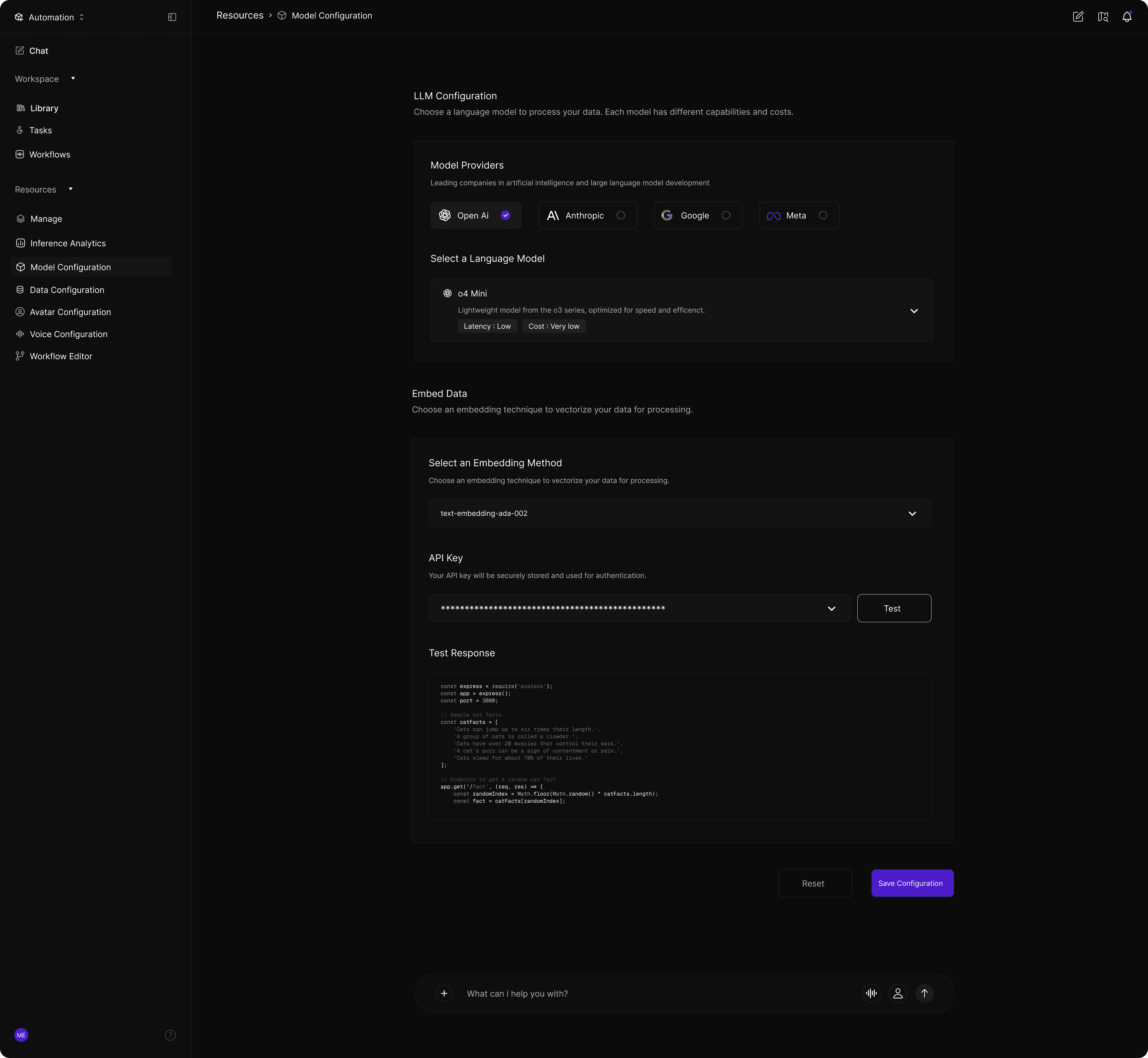
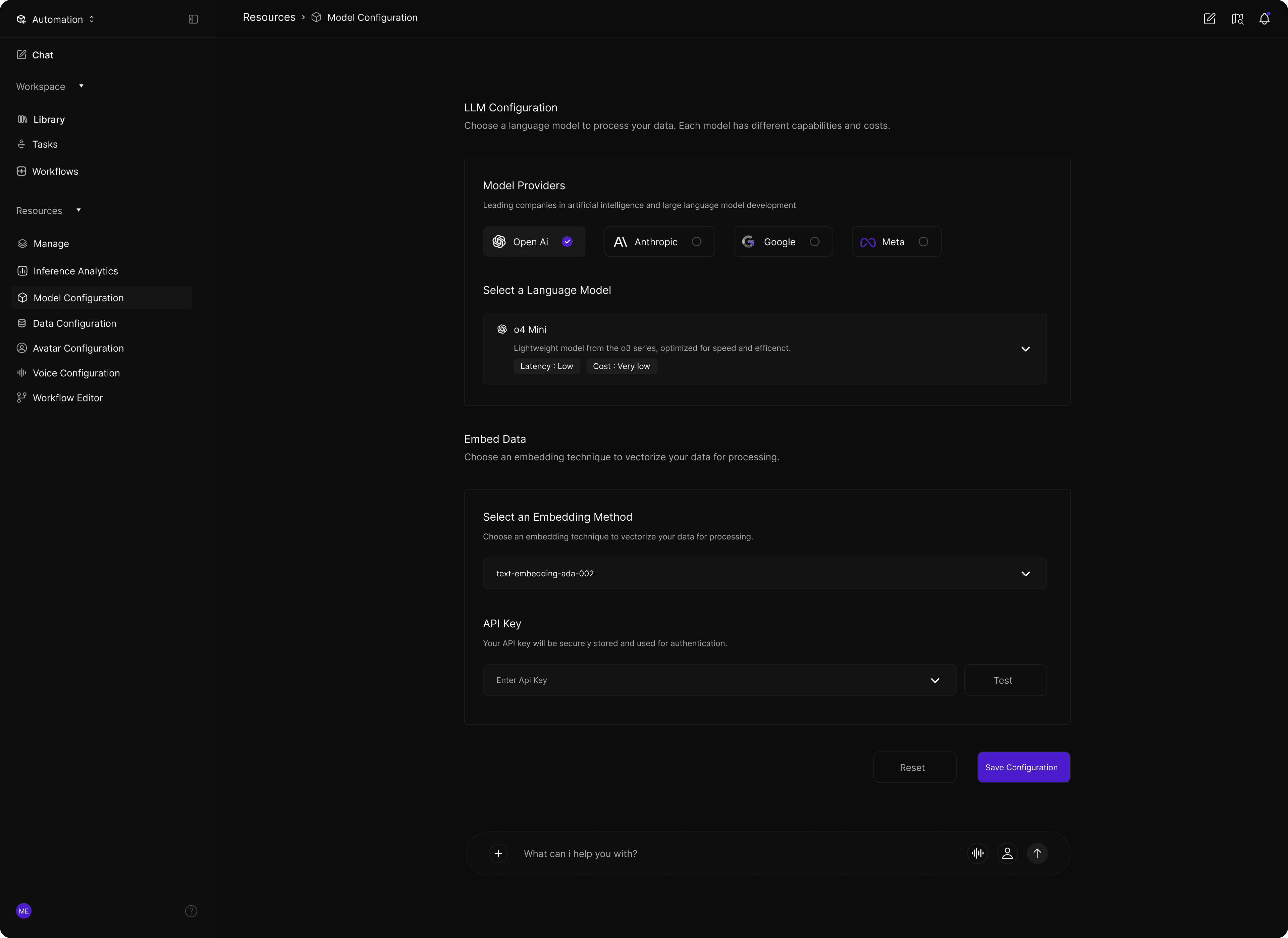
Nucleus is a unified automation studio that combines Data Processing, Automation Pipelines, and an AI Chat Interface into one no-code ecosystem.

Users can integrate data, generate synthetic datasets, build knowledge graphs, orchestrate pipelines, and manage workflows entirely through chat or voice — making AI accessible to everyone on the team.

Overview

Redefining how teams work with AI

Nucleus is a unified automation studio that combines Data Processing, Automation Pipelines, and an AI Chat Interface into one no-code ecosystem.

Users can integrate data, generate synthetic datasets, build knowledge graphs, orchestrate pipelines, and manage workflows entirely through chat or voice — making AI accessible to everyone on the team.

Key Features

Nucleus Unified AI Automation Platform

A modular AI ecosystem for building datasets, pipelines, and intelligent workflows through chat, voice, and automated agents.
Designed to simplify complex AI operations into a single, intuitive platform that empowers teams to automate without code.

Project Goal

Democratize AI automation for every team

Our vision was to create a platform where non-technical users could harness the full power of AI automation without writing a single line of code. By unifying data processing, pipeline orchestration, and conversational AI into one cohesive experience, we aimed to reduce the barrier to entry for enterprise AI adoption.

Project Goal

Democratize AI automation for every team

Our vision was to create a platform where non-technical users could harness the full power of AI automation without writing a single line of code. By unifying data processing, pipeline orchestration, and conversational AI into one cohesive experience, we aimed to reduce the barrier to entry for enterprise AI adoption.

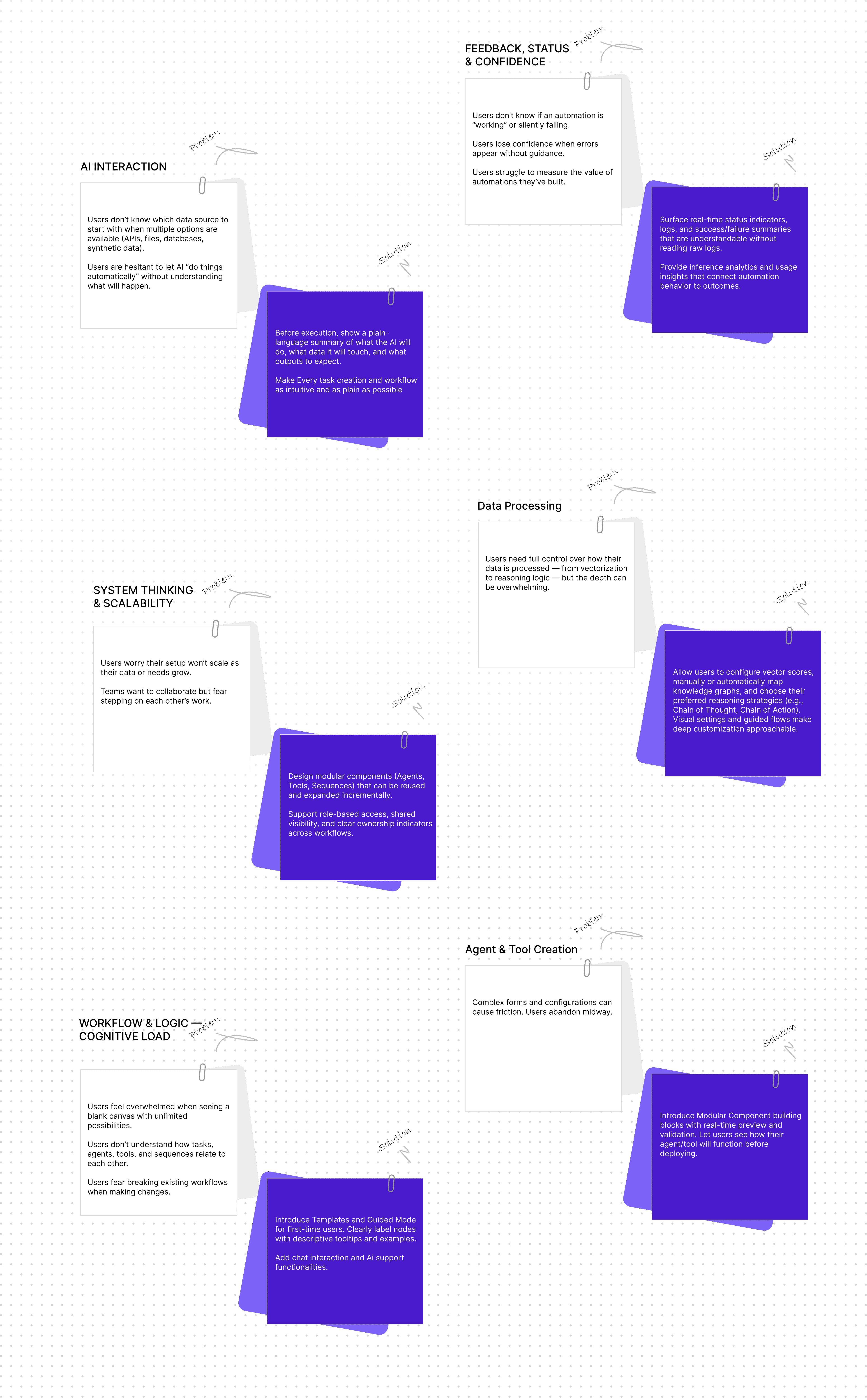
The Challange

Overcoming the complexity barrier in AI adoption
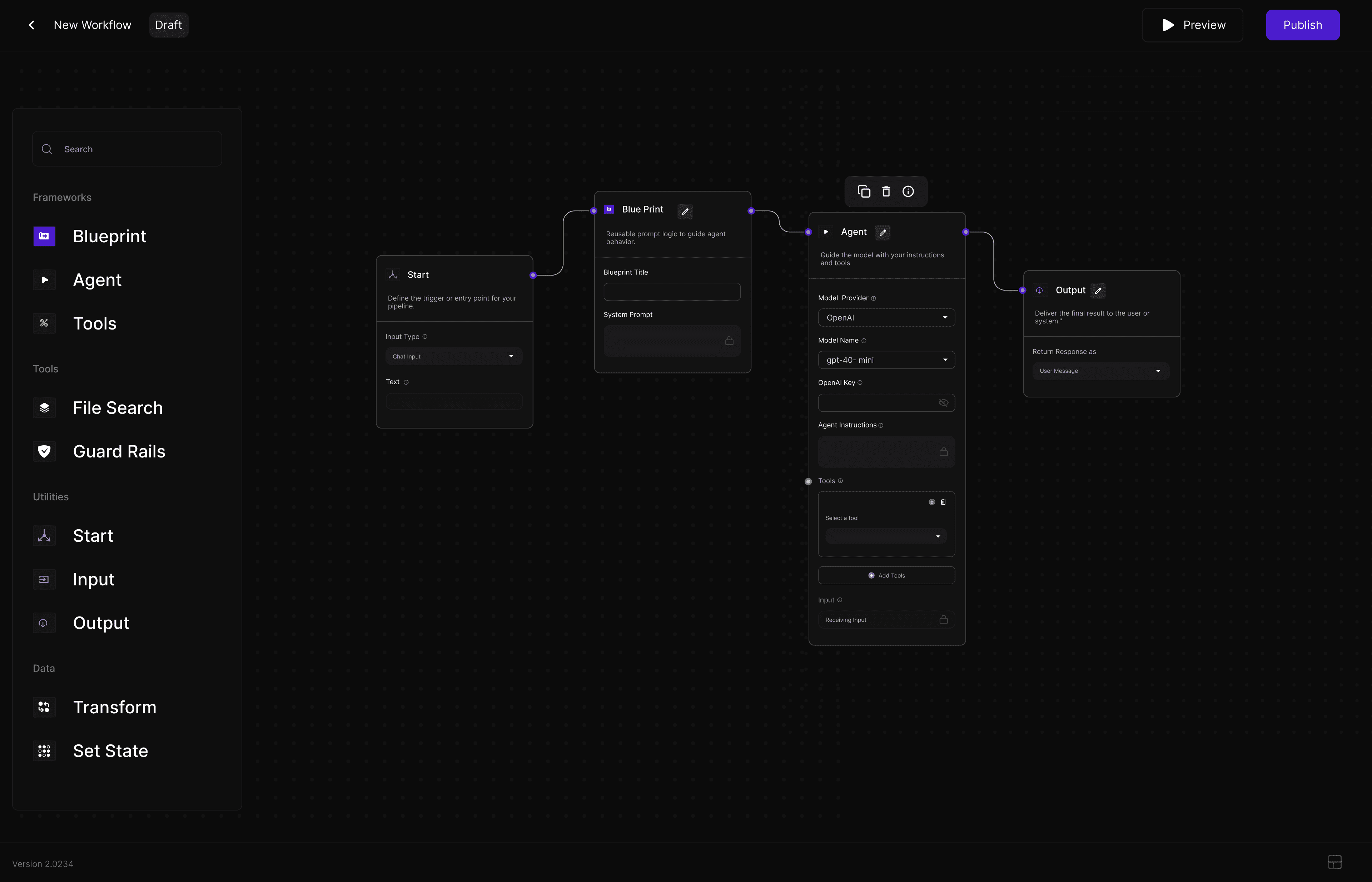
Some of the Core Challanges

To make Nucleus Studio accessible, focused on abstracting AI complexity into a unified workspace that eliminates fragmented workflows. By balancing high-level customization with guided structures, the platform empowers both beginners and power users while maintaining transparency in AI decision-making. This approach transformed a technical "black box" into a reliable, user-centric automation tool.

Some of the Core Challanges

To make Nucleus Studio accessible, focused on abstracting AI complexity into a unified workspace that eliminates fragmented workflows. By balancing high-level customization with guided structures, the platform empowers both beginners and power users while maintaining transparency in AI decision-making. This approach transformed a technical "black box" into a reliable, user-centric automation tool.

Why it matters

Organizations are losing competitive advantage because AI implementation remains locked behind technical barriers. Teams with brilliant ideas can't execute without dedicated engineering resources.

The gap between AI potential and actual adoption continues to widen — not because of lack of interest, but due to accessibility constraints that prevent widespread experimentation and deployment.

Addressing the Core Pain Points

Addressing the Core Pain Points

Data Silos

Pain Point

Teams waste hours manually transferring and reformatting data between disconnected systems.

Possible Solution

Nucleus provides unified data connectors with automatic format detection and transformation.

Technical Barrier

Pain Point

Non-developers are locked out of automation, creating bottlenecks and dependency on engineering teams.

Possible Solution

Natural language interface allows anyone to build and manage workflows through conversation.

Slow Iteration

Pain Point

Traditional development cycles mean weeks between idea and deployment, killing innovation momentum.

Possible Solution

Visual pipeline builder enables real-time testing and instant deployment of automation flows.

Fragmented Tools

Pain Point

Switching between multiple platforms creates context loss and reduces overall productivity.

Possible Solution

Single unified platform for data, pipelines, and AI interaction with seamless handoffs.
Solutions

Three pillars of unified automation

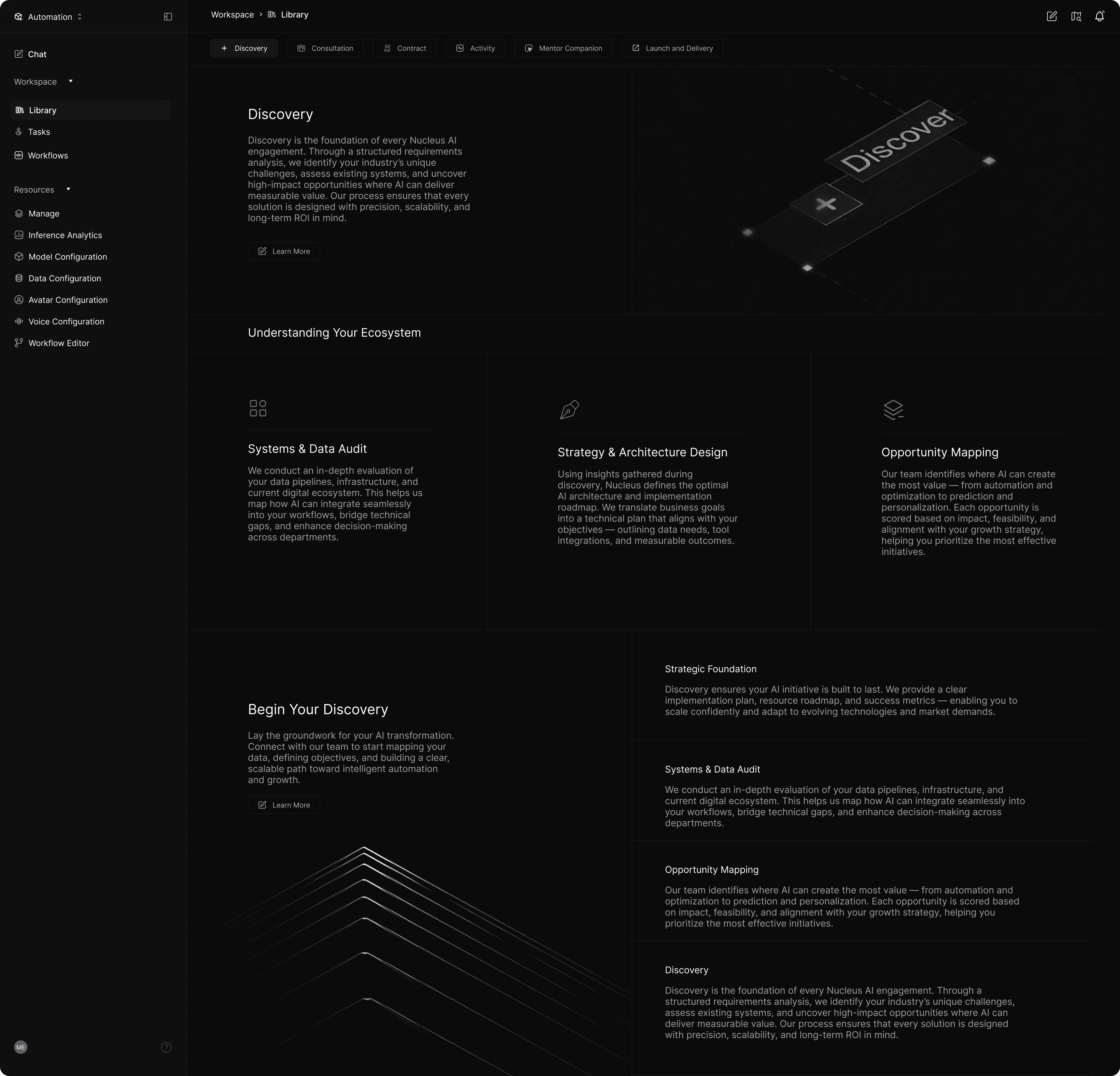
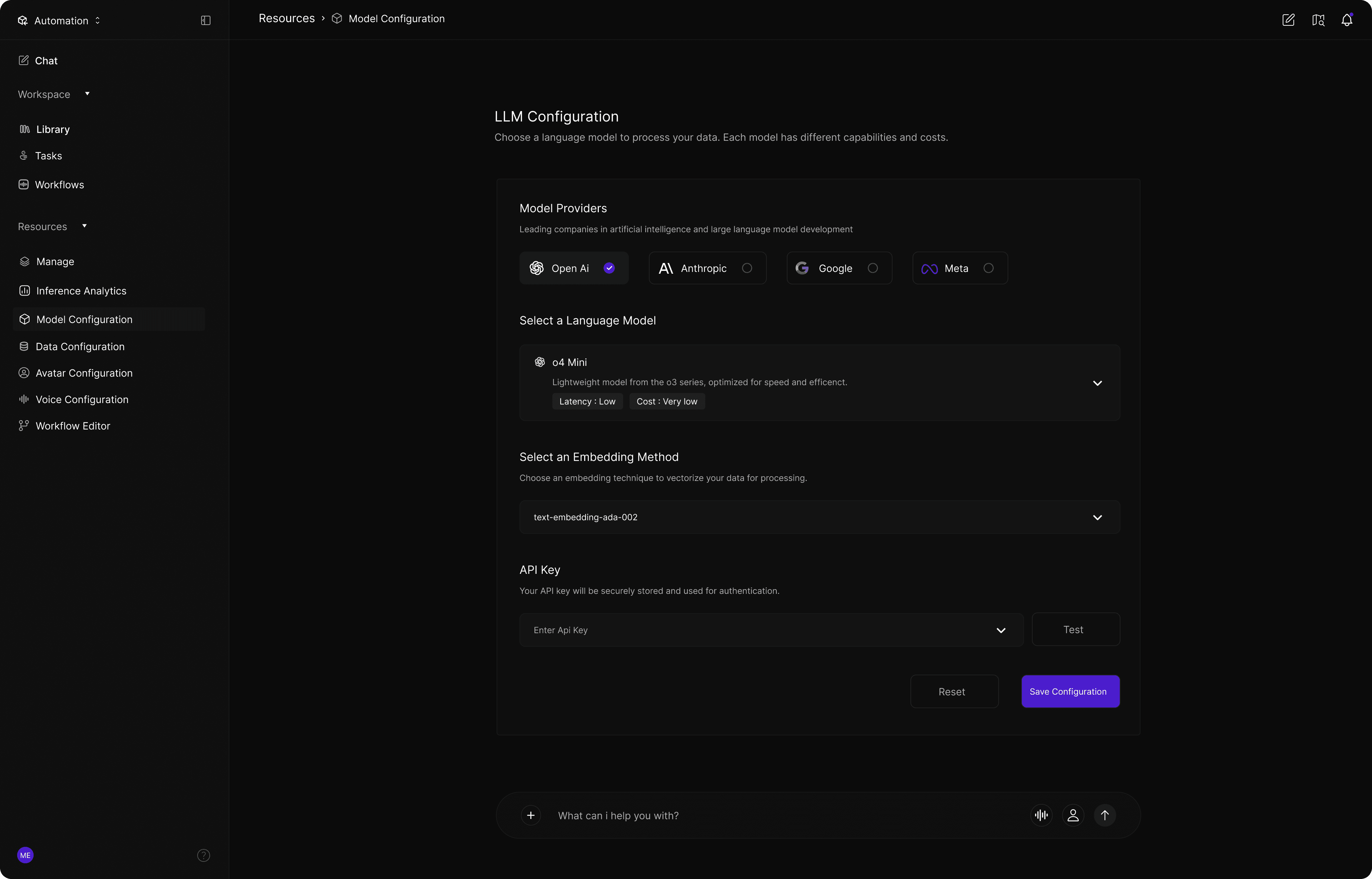
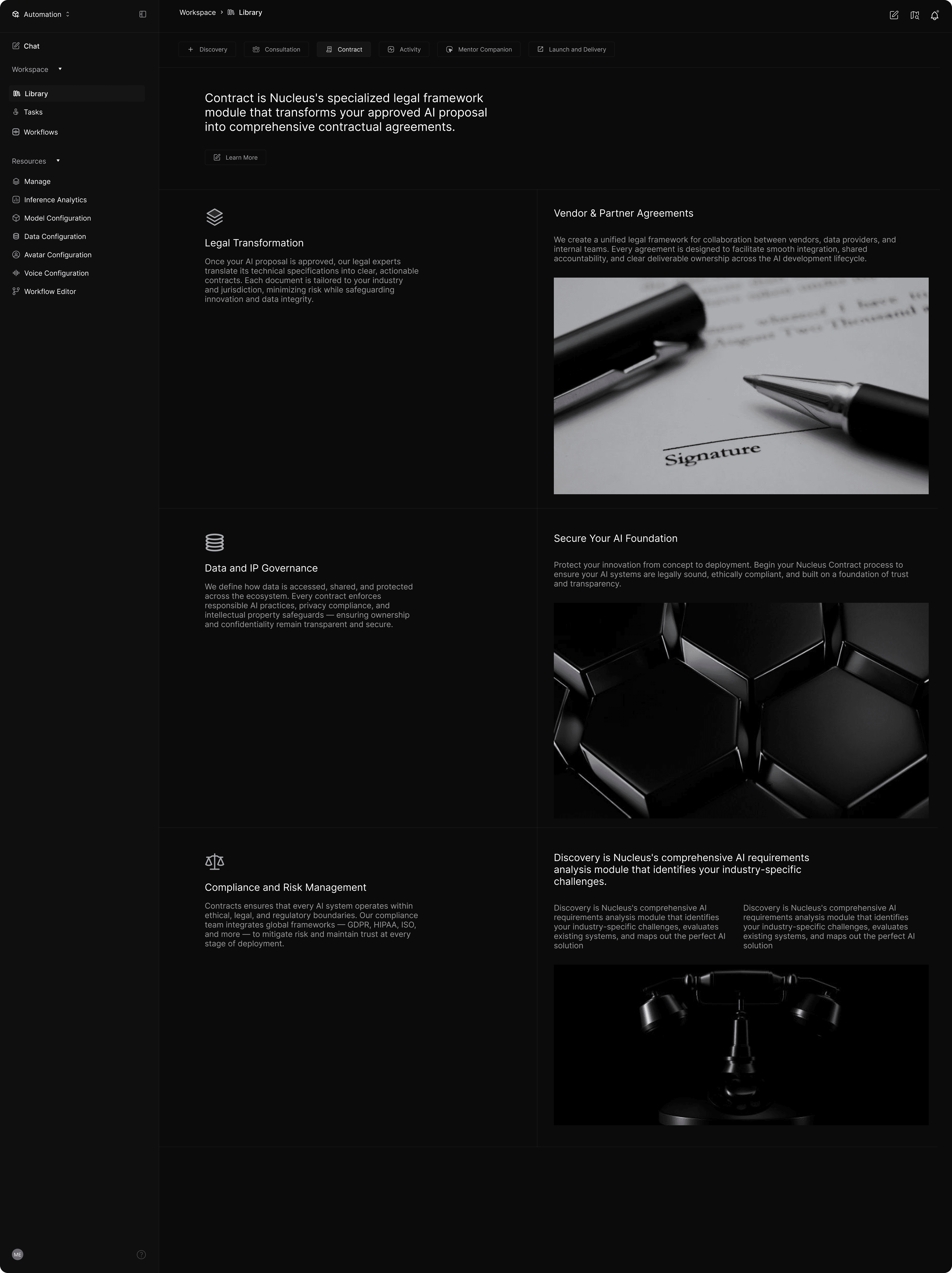
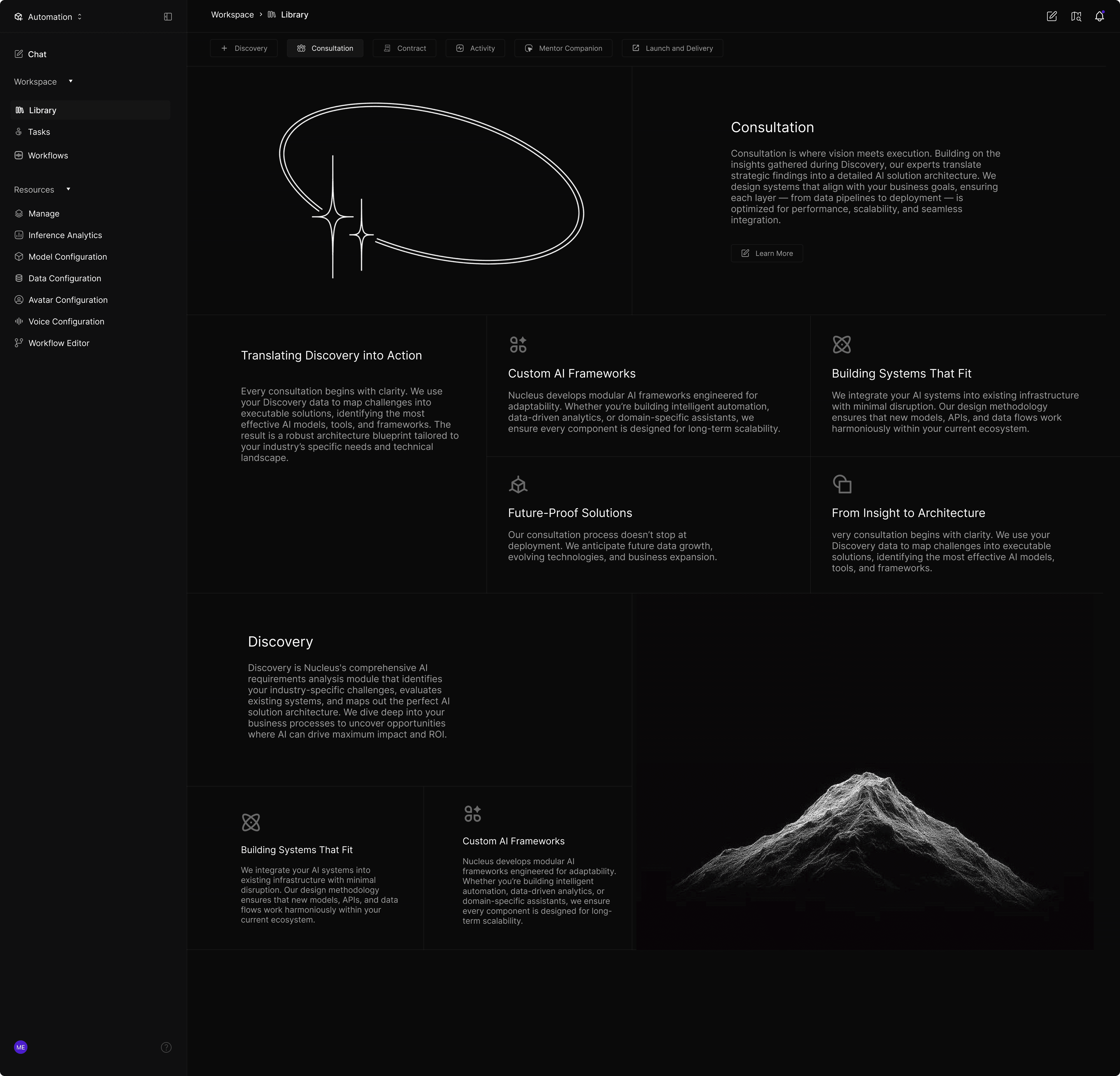
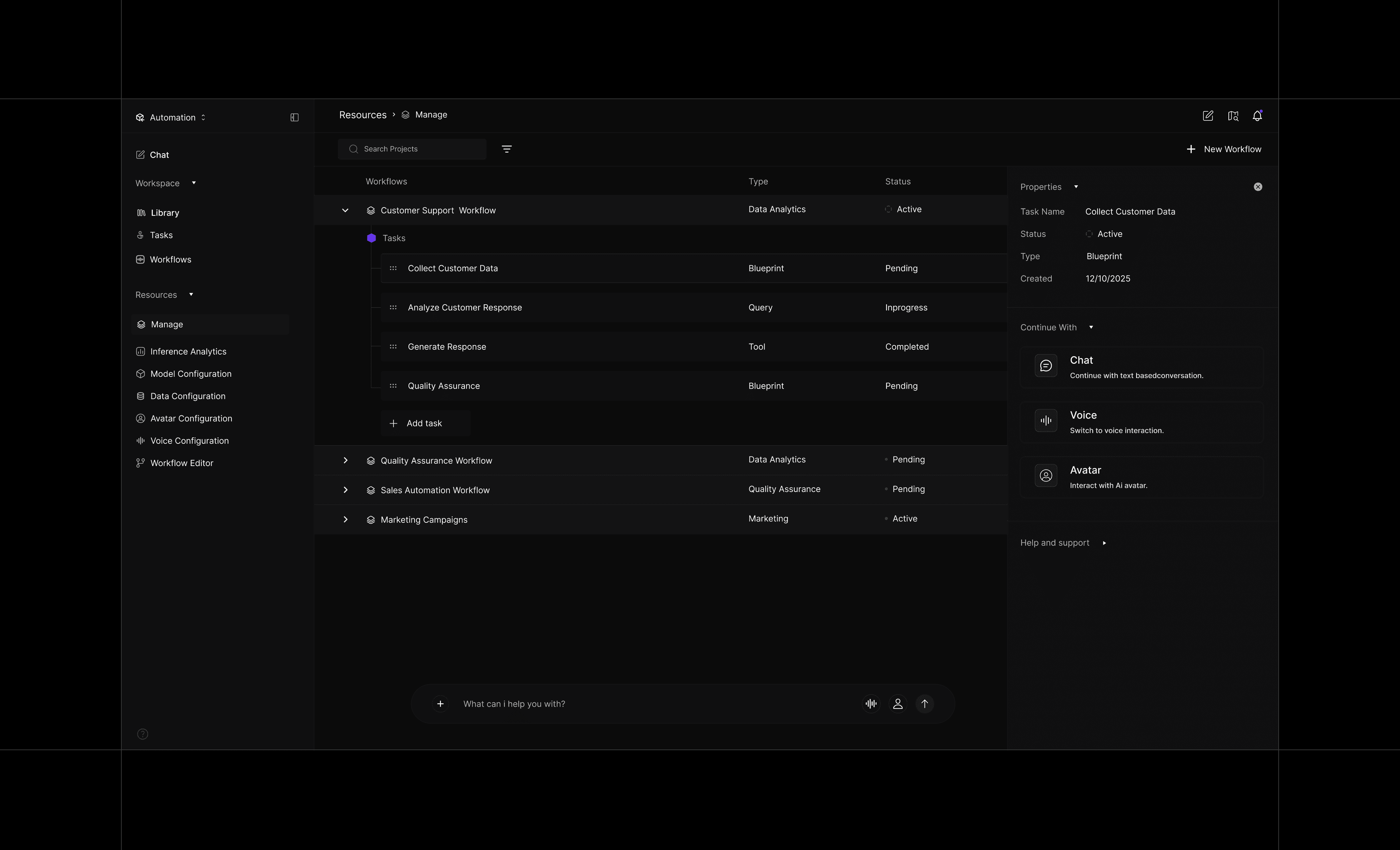
Nucleus Studio solves the challenges of fragmentation and distrust by unifying data, logic, and execution into a single conversational platform. Rather than relying on manual, canvas-first configurations, it uses AI-assisted interfaces—via chat, voice, or avatars—to streamline workflow creation. This modular approach allows users to start small and scale into complex systems without ever switching environments.

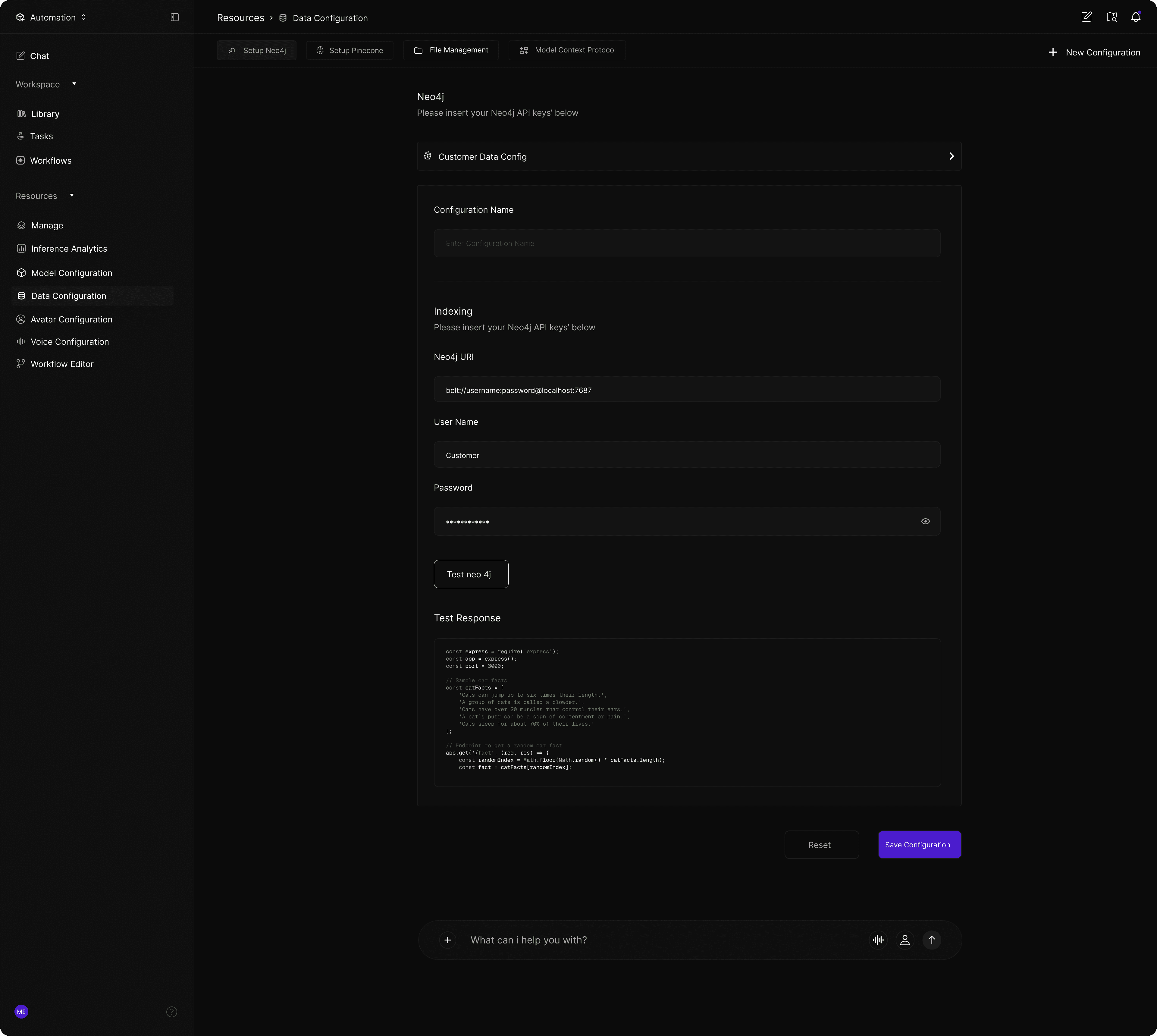
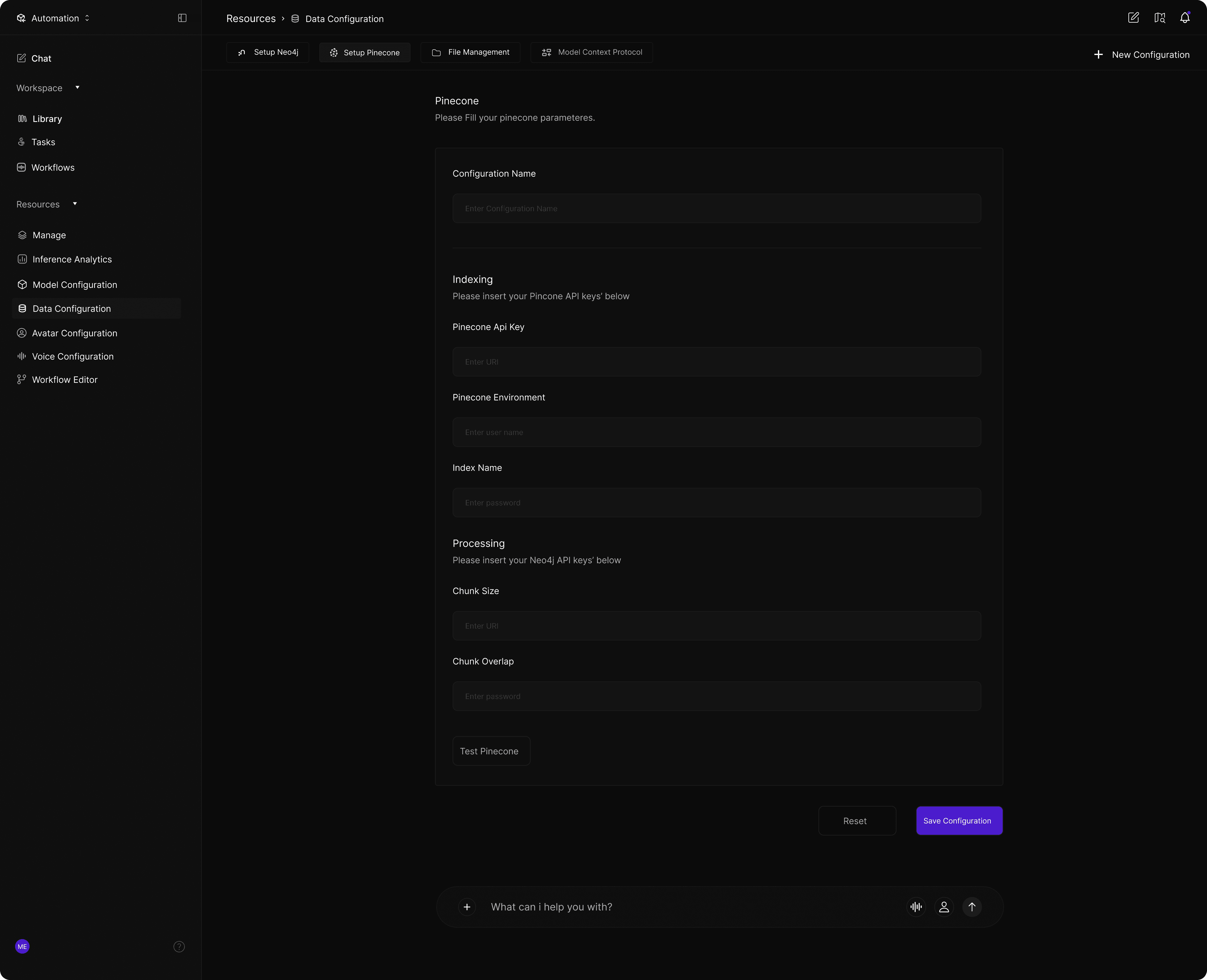
Data Processing

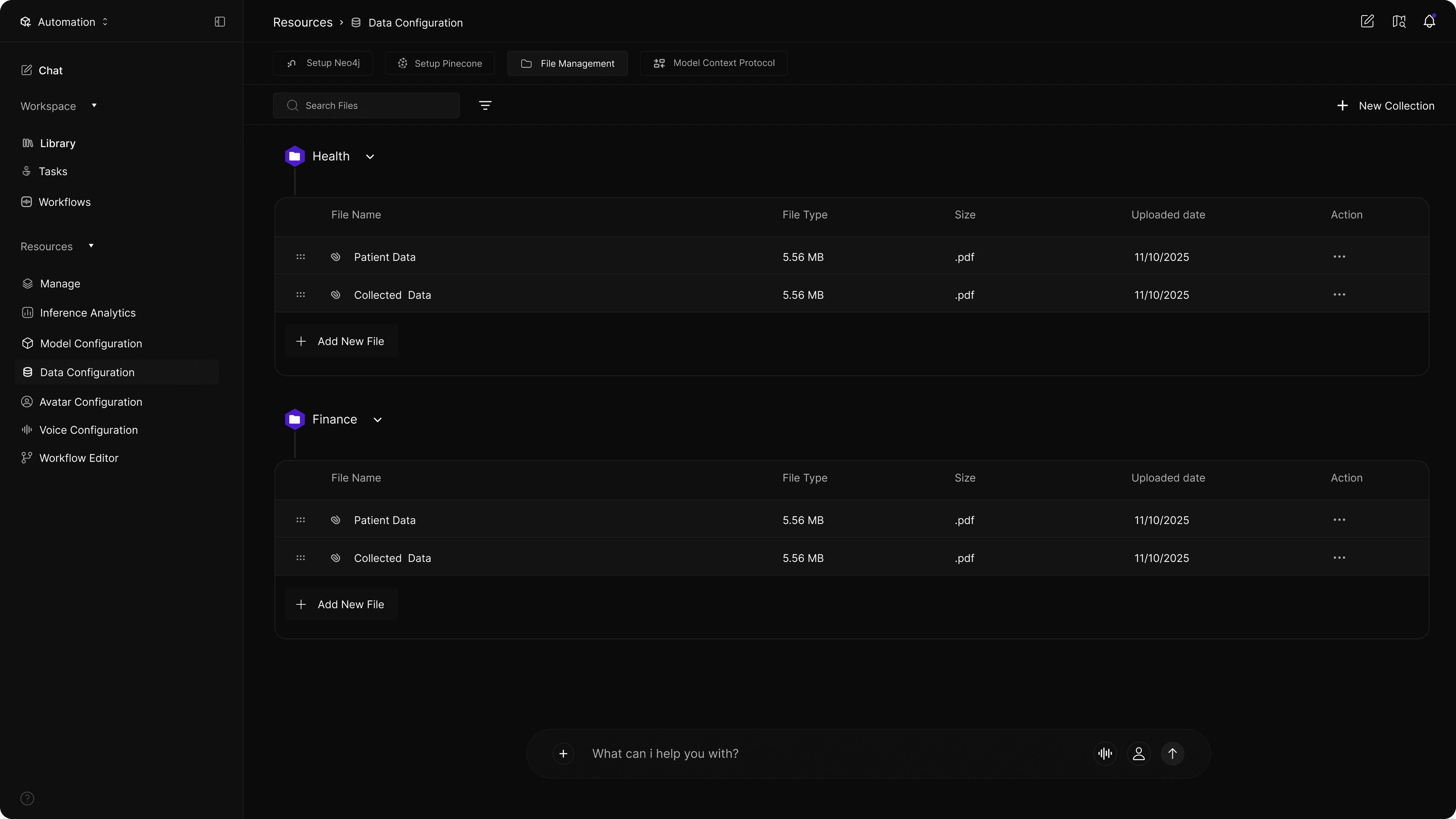
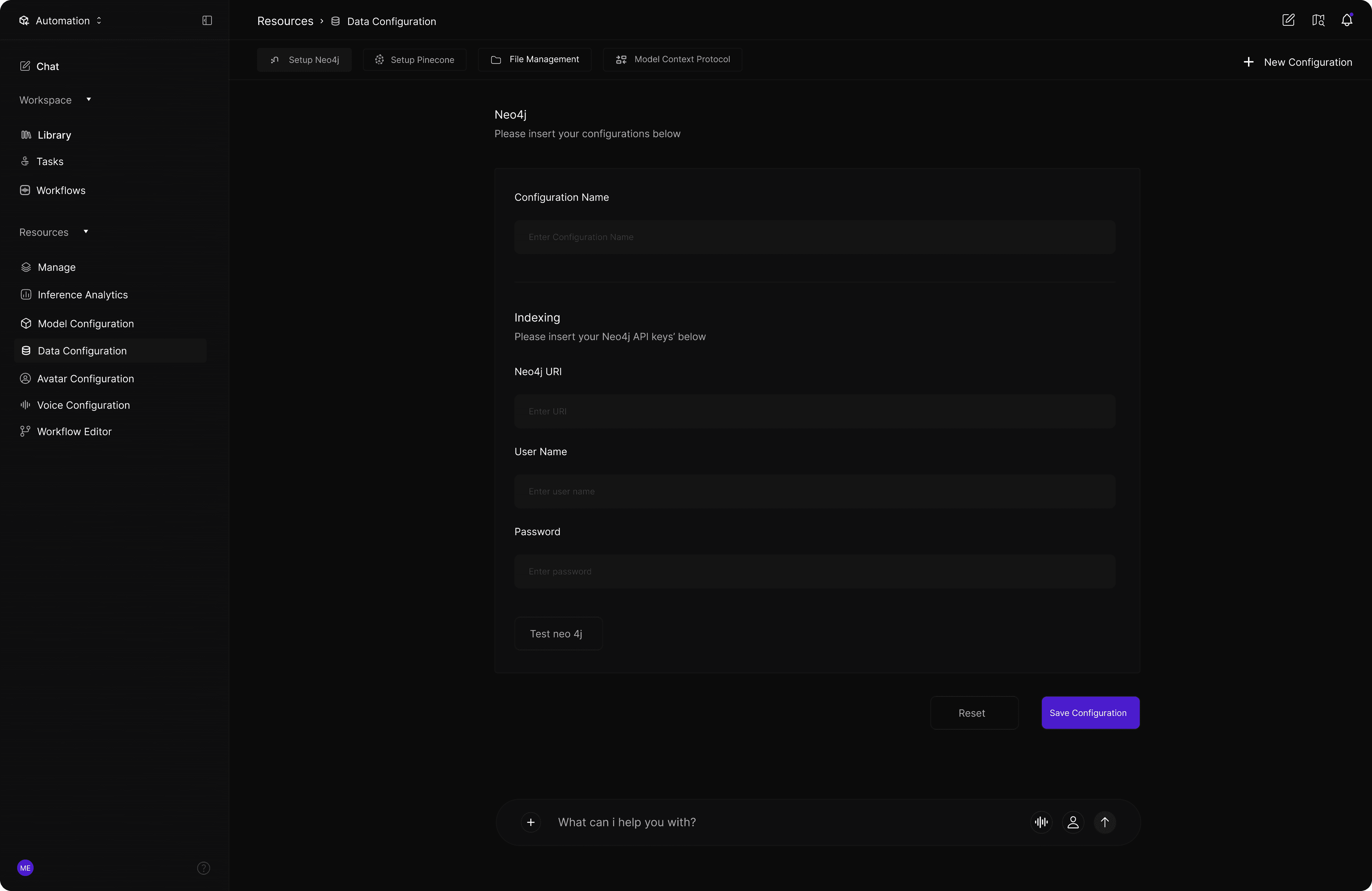
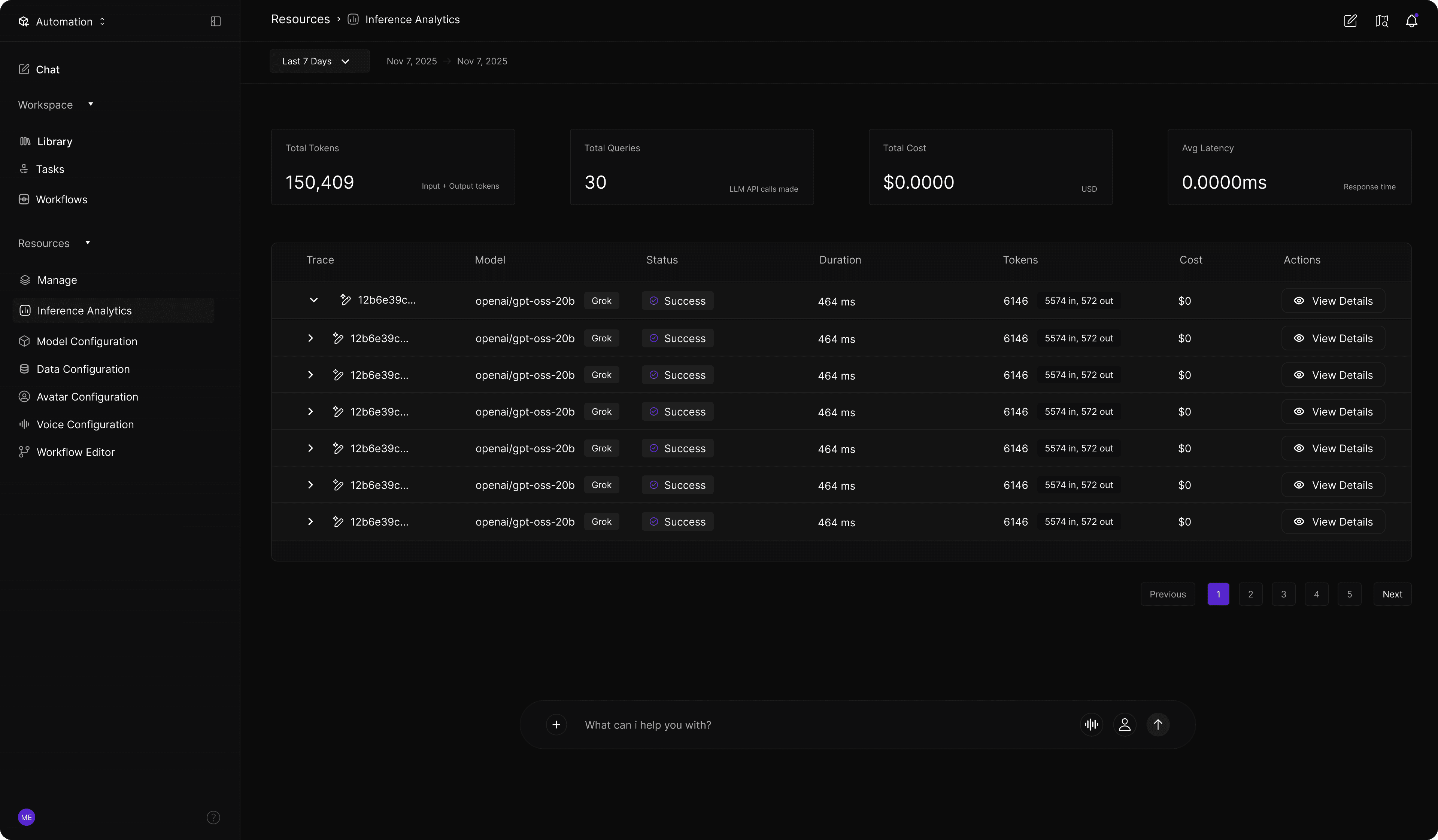
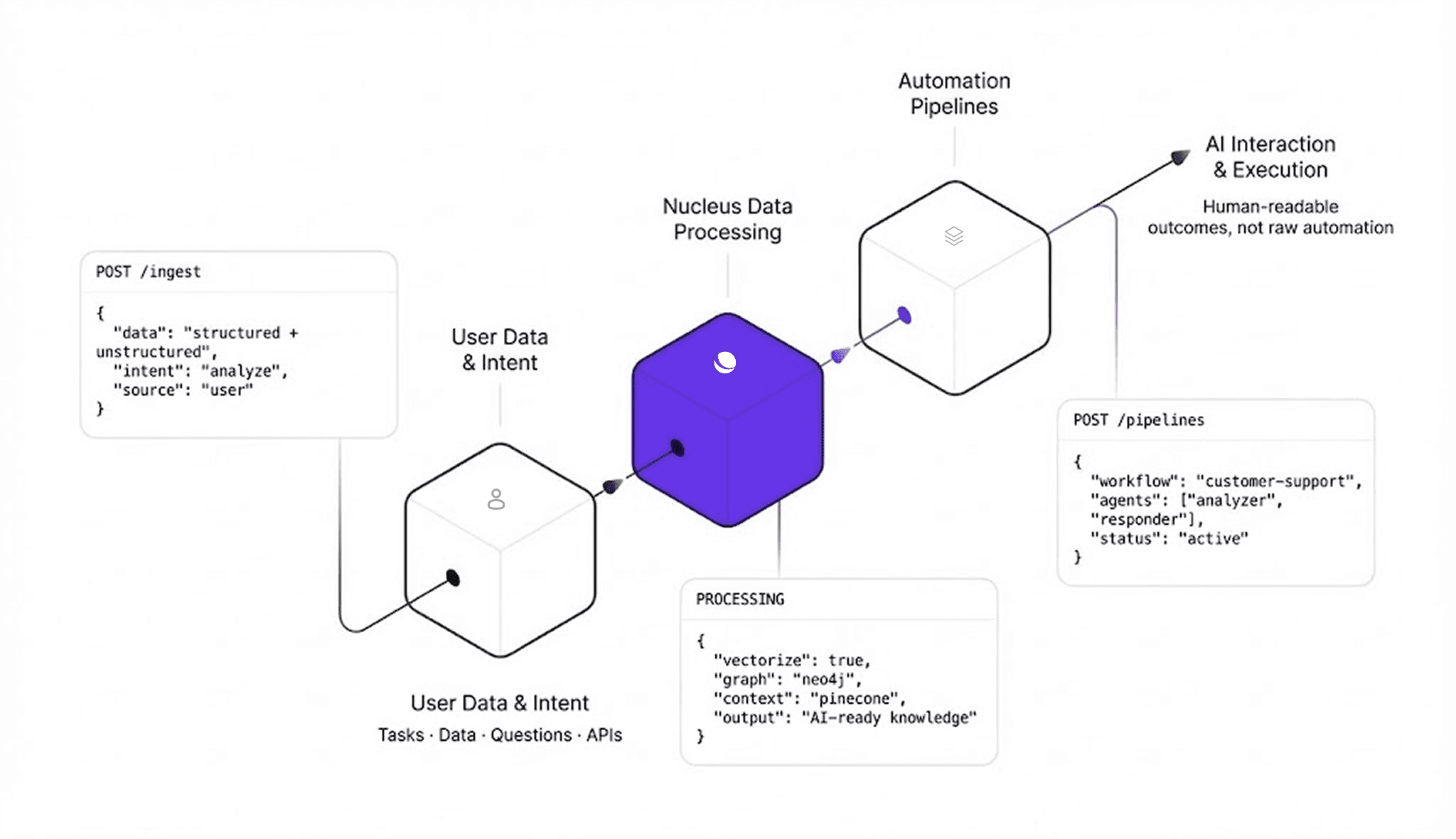
The data processing layer simplifies how users manage structured and unstructured data without requiring engineering expertise. By centralizing ingestion, vectorization, and knowledge graph construction in one environment, the platform transforms raw information into AI-ready assets. This unified approach gives users full control over how their data is prepared, structured, and consumed by the system.

Data Processing

The data processing layer simplifies how users manage structured and unstructured data without requiring engineering expertise. By centralizing ingestion, vectorization, and knowledge graph construction in one environment, the platform transforms raw information into AI-ready assets. This unified approach gives users full control over how their data is prepared, structured, and consumed by the system.

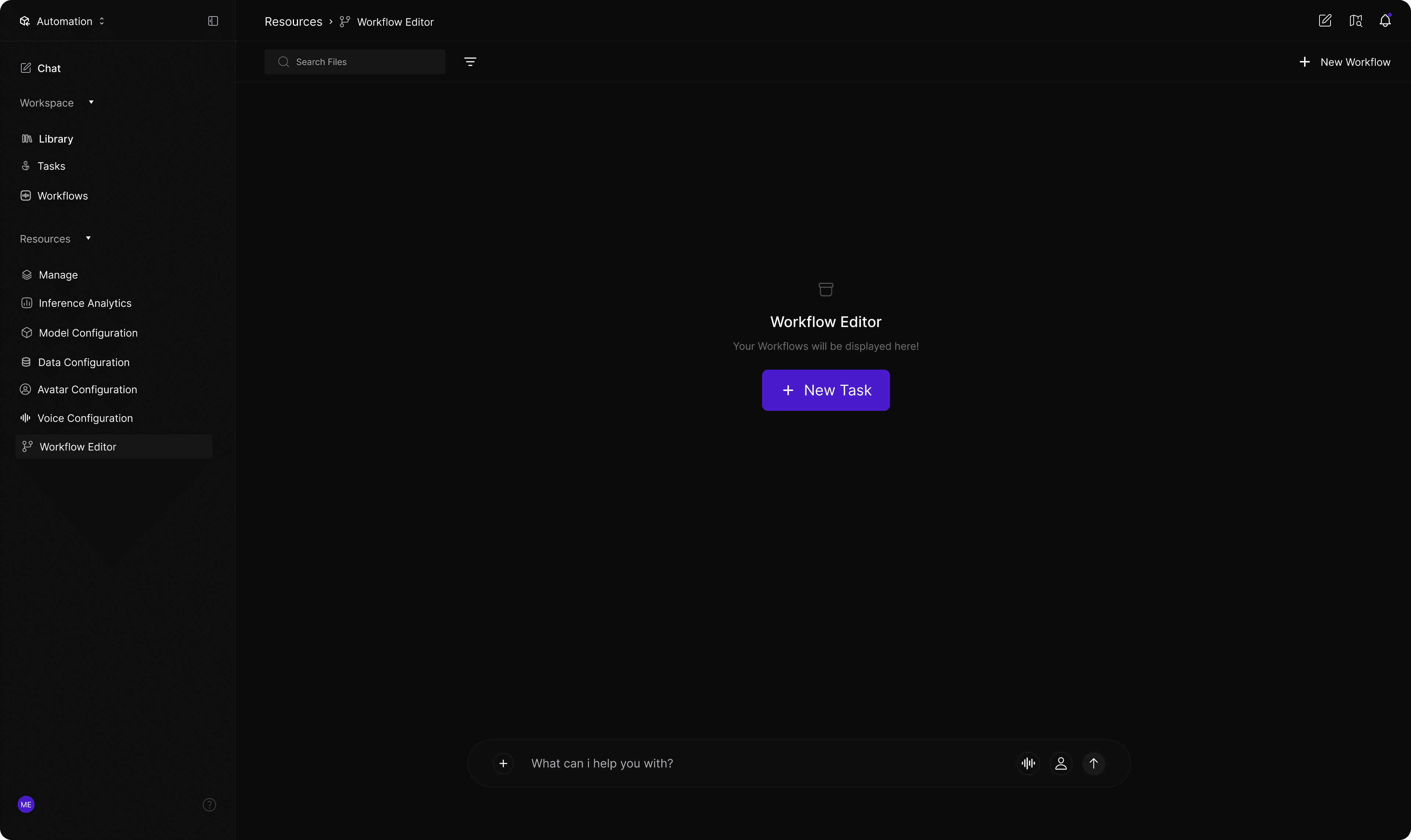
Automation Pipelines

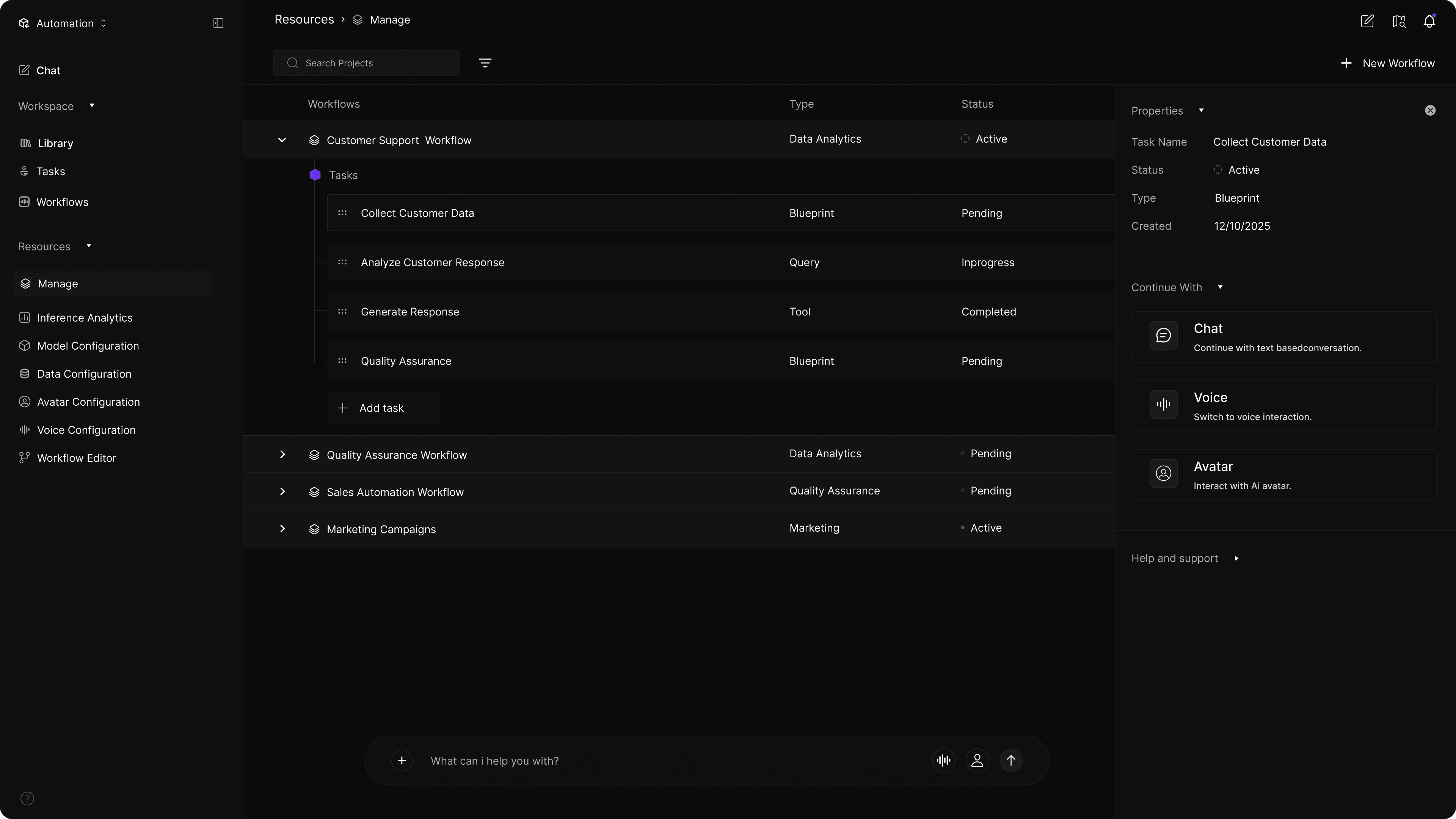
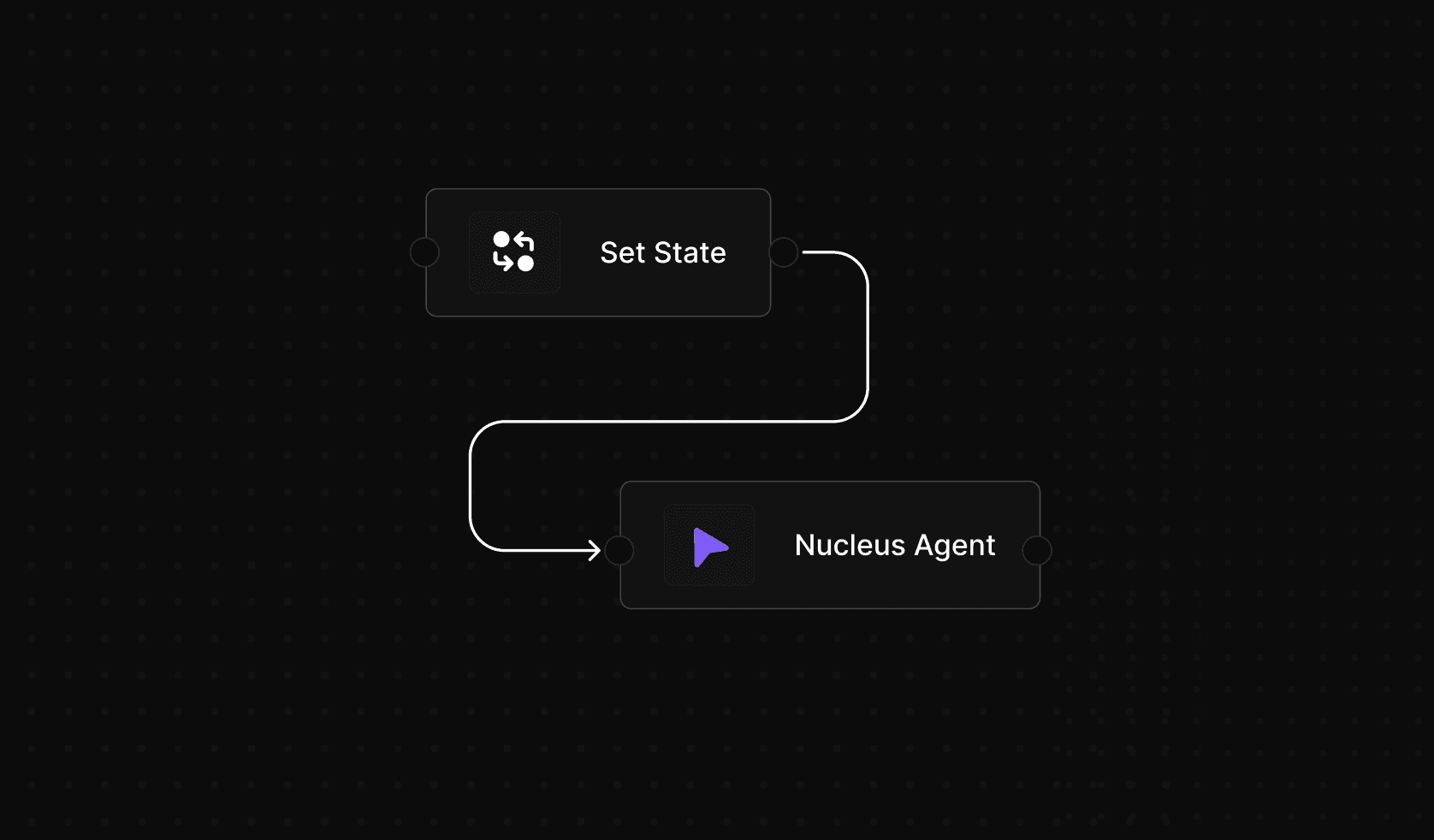
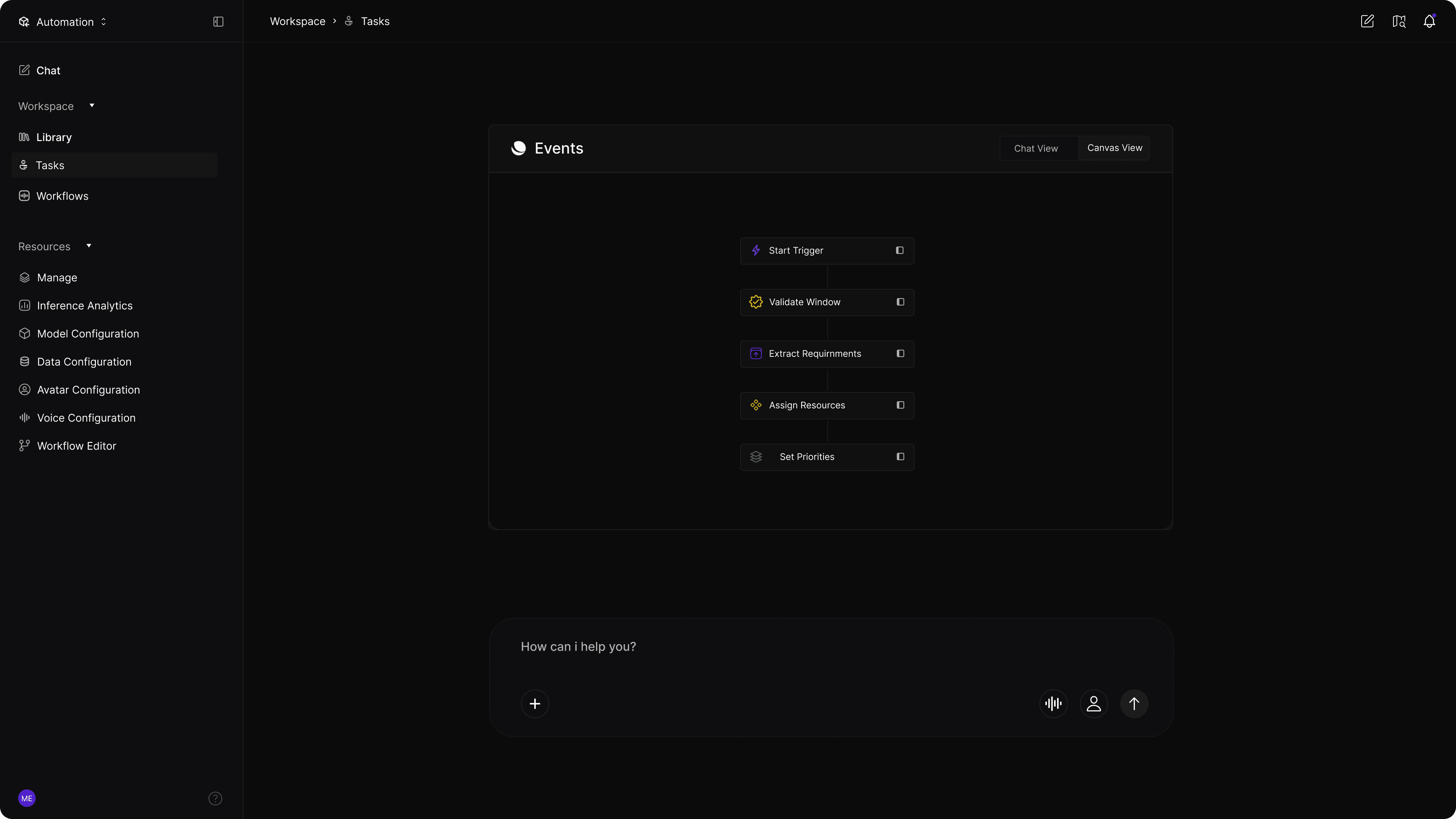
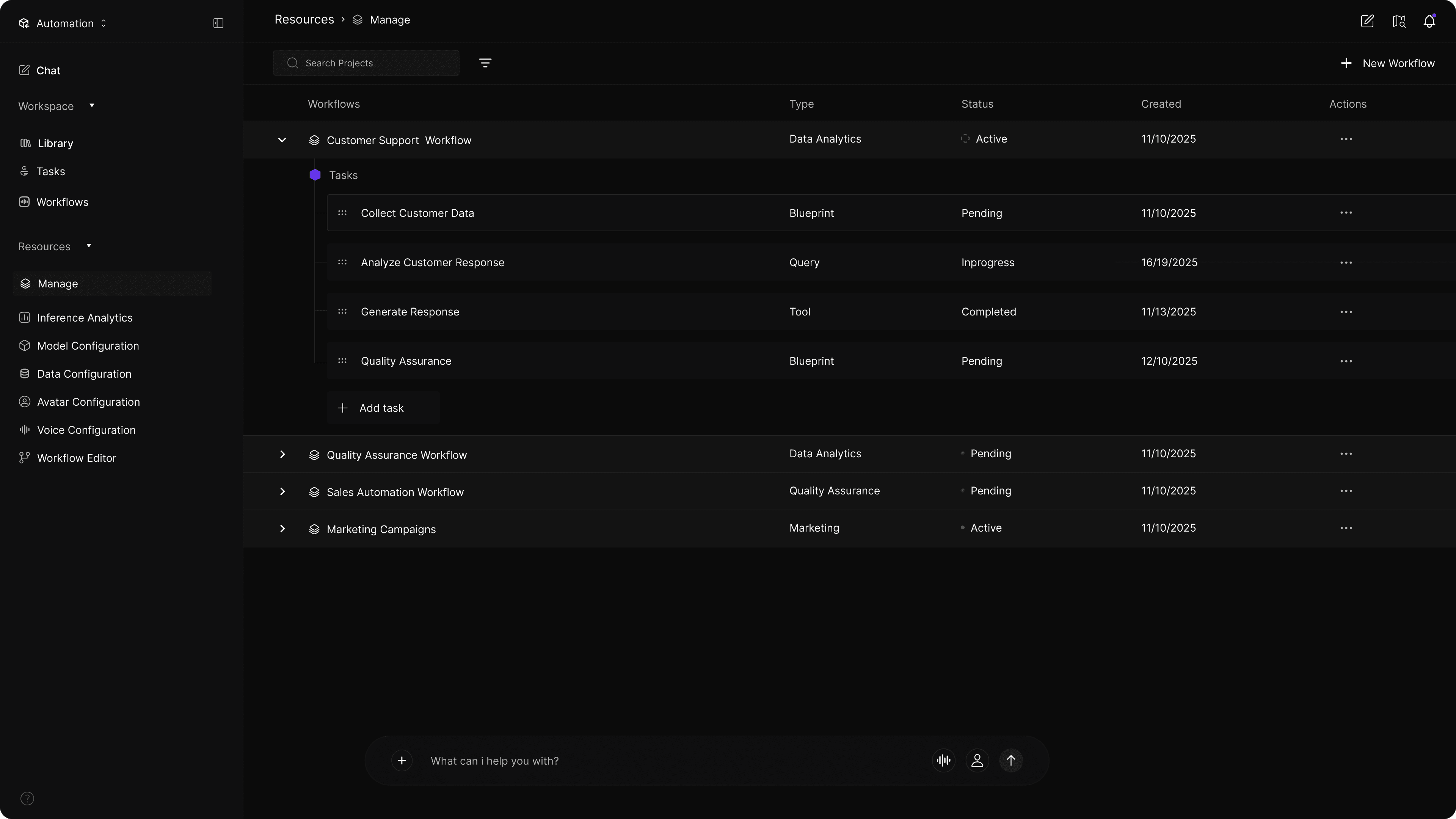
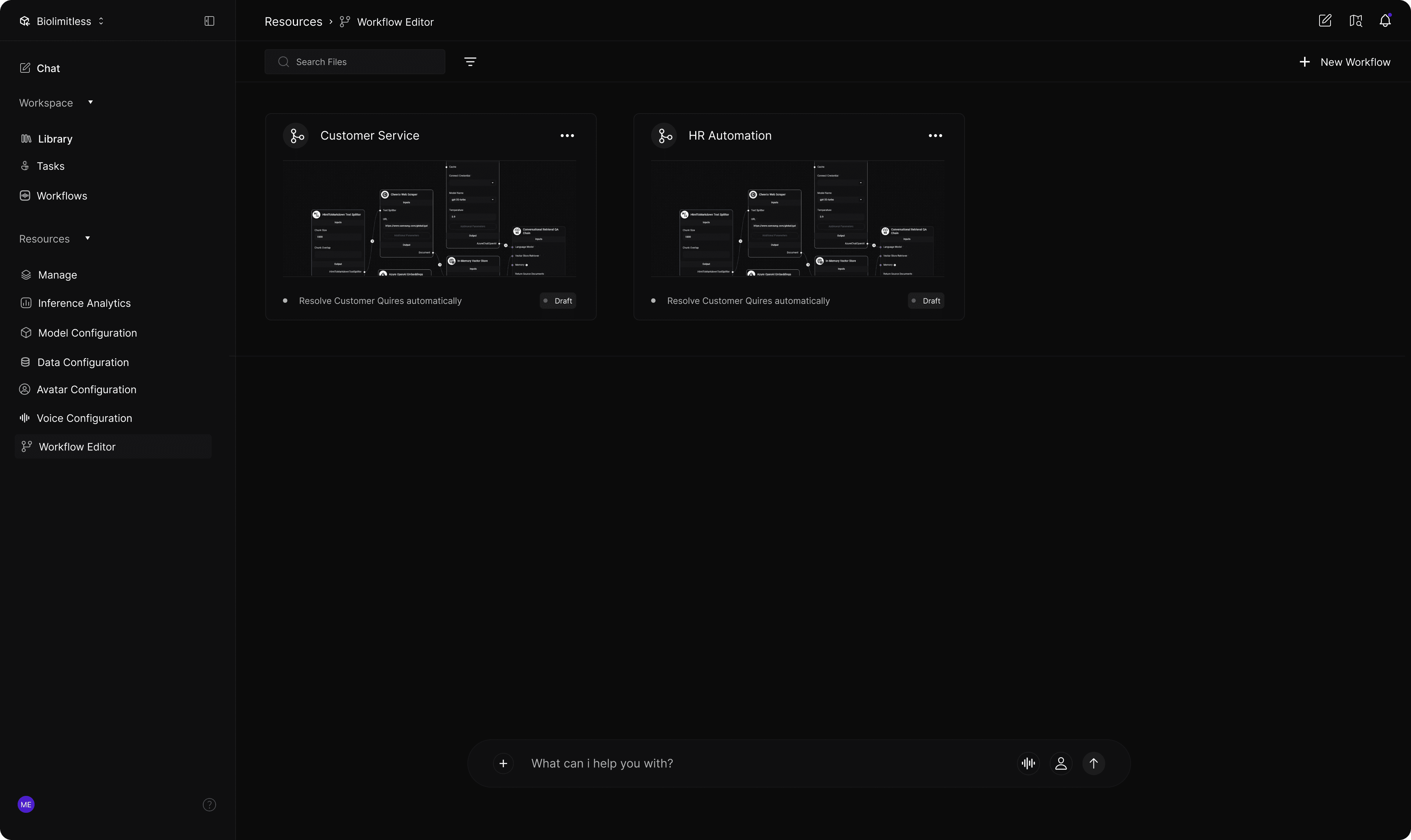
The execution layer features a visual workflow editor that enables users to orchestrate logic, agents, and tools without writing code. By representing complex hierarchies and conditional paths visually, the platform allows users to manage intricate automation flows while maintaining a clear mental model of the system. This transforms technical execution into a repeatable, manageable design process.
AI Interaction

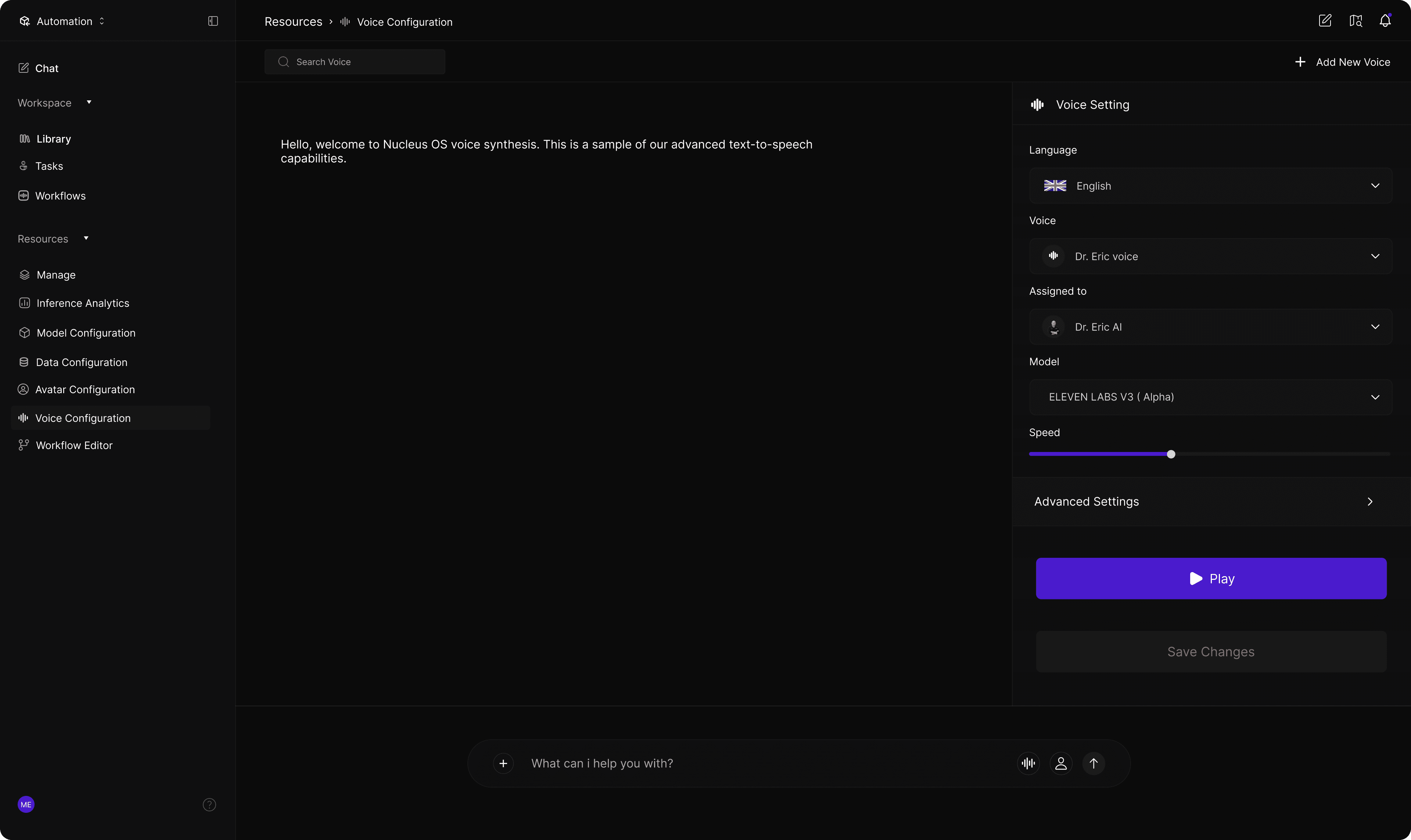
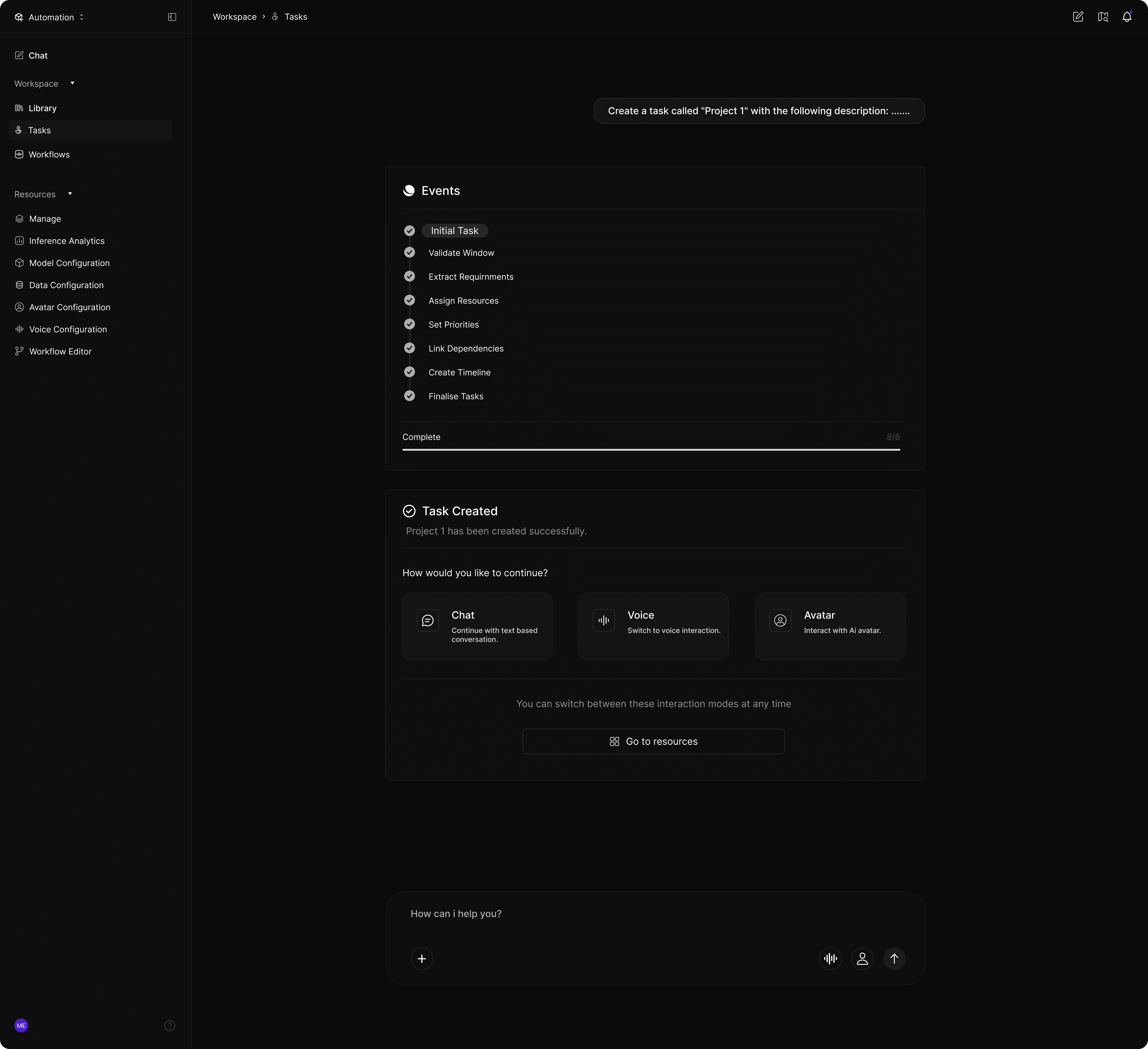
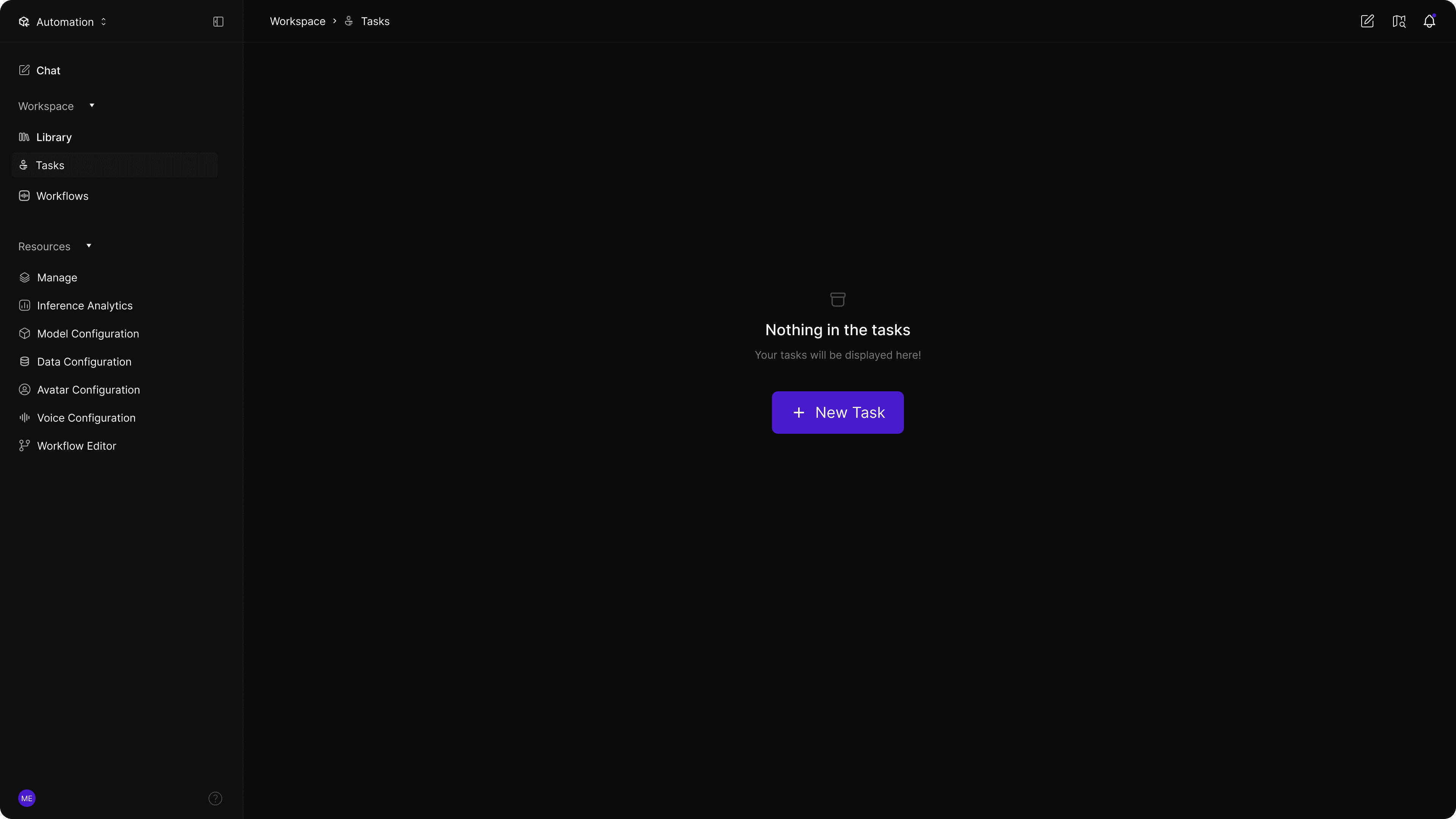
Nucleus Studio shifts automation control to a conversational-first model, allowing users to build workflows and manage tasks through natural language. This interaction layer reduces cognitive load by guiding users through complex operations without requiring upfront technical mastery. By augmenting rather than replacing traditional controls, it creates a scalable experience where users can transition from guided assistance to direct manipulation as they gain confidence.

AI Interaction

Nucleus Studio shifts automation control to a conversational-first model, allowing users to build workflows and manage tasks through natural language. This interaction layer reduces cognitive load by guiding users through complex operations without requiring upfront technical mastery. By augmenting rather than replacing traditional controls, it creates a scalable experience where users can transition from guided assistance to direct manipulation as they gain confidence.

UX Strategy

User-centered design framework

User-centered design framework

The UX strategy for Nucleus Studio was built around one core principle: make advanced AI automation understandable, controllable, and scalable for different user maturity levels. Rather than designing for a single persona, the platform was intentionally structured to support a spectrum of users—from non-technical operators to advanced AI practitioners—without fragmenting the experience.

User Segments
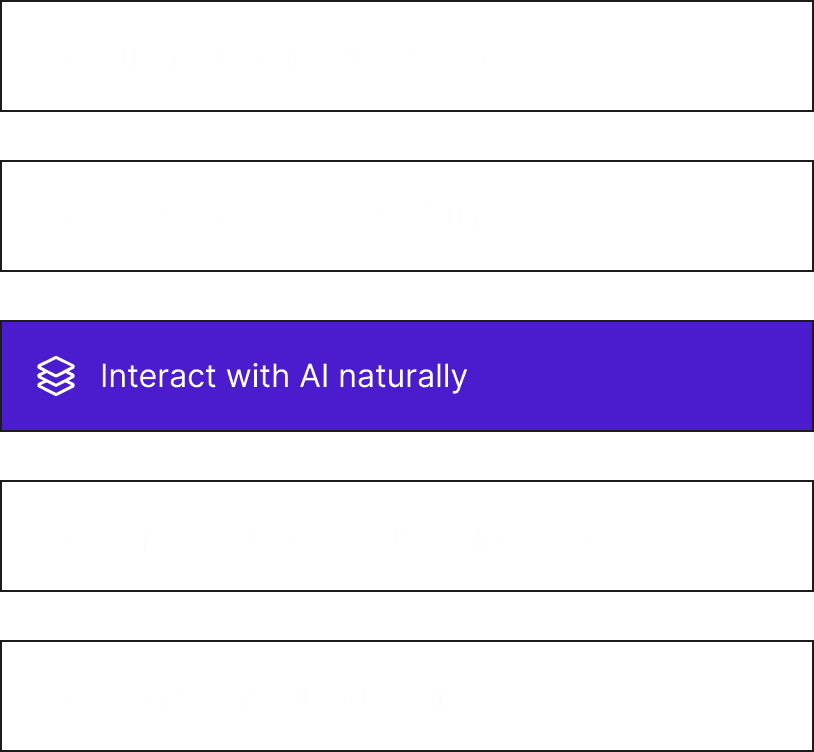
User Goals
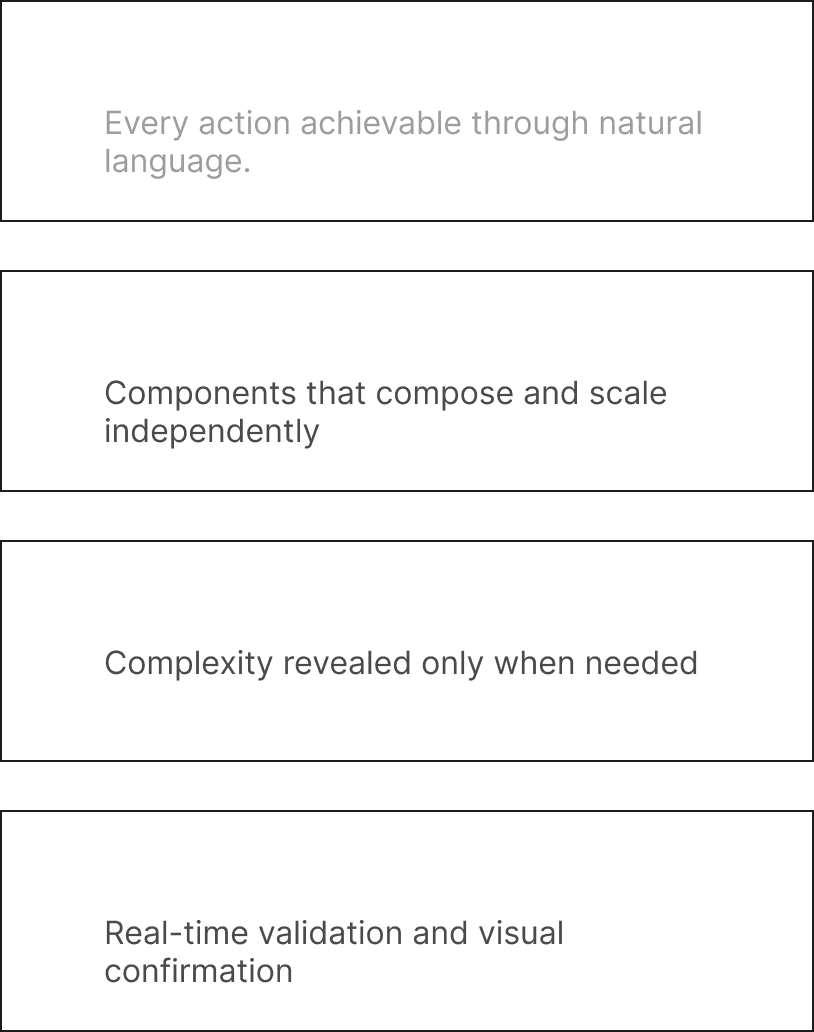
Experience Principles
Design Process

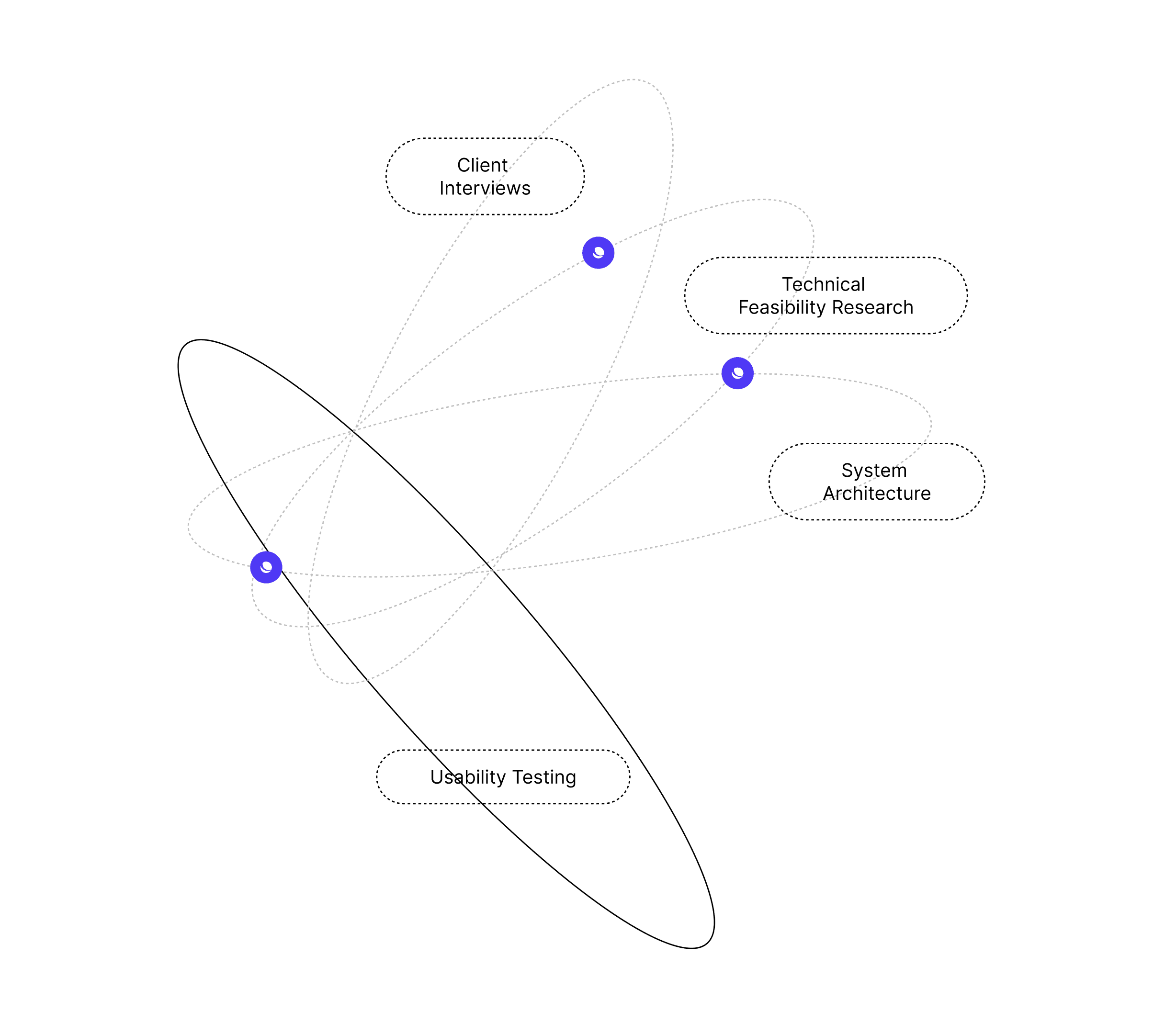
From research to refined solution

Unified data ingestion, transformation, and synthetic generation. Handle structured and unstructured data with automatic schema detection and quality validation.

Research

Research

User interviews, competitive analysis, stakeholder workshops

Ideation

Concept exploration, feature prioritization, technical feasibility

Definition

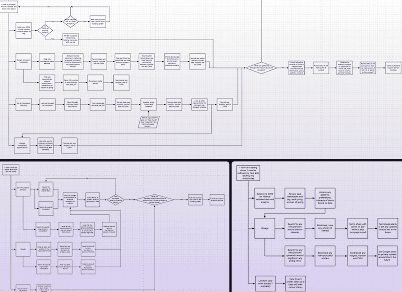
Information architecture, user flows, system mapping

Design

Design Exploration, Ai Early prototypes, visual design, design system

Validation

Usability testing, iteration, refinement, handoff

Research Summary

Key Insights

Our research phase revealed critical patterns in how teams approach AI automation. The primary finding: users want power without complexity.
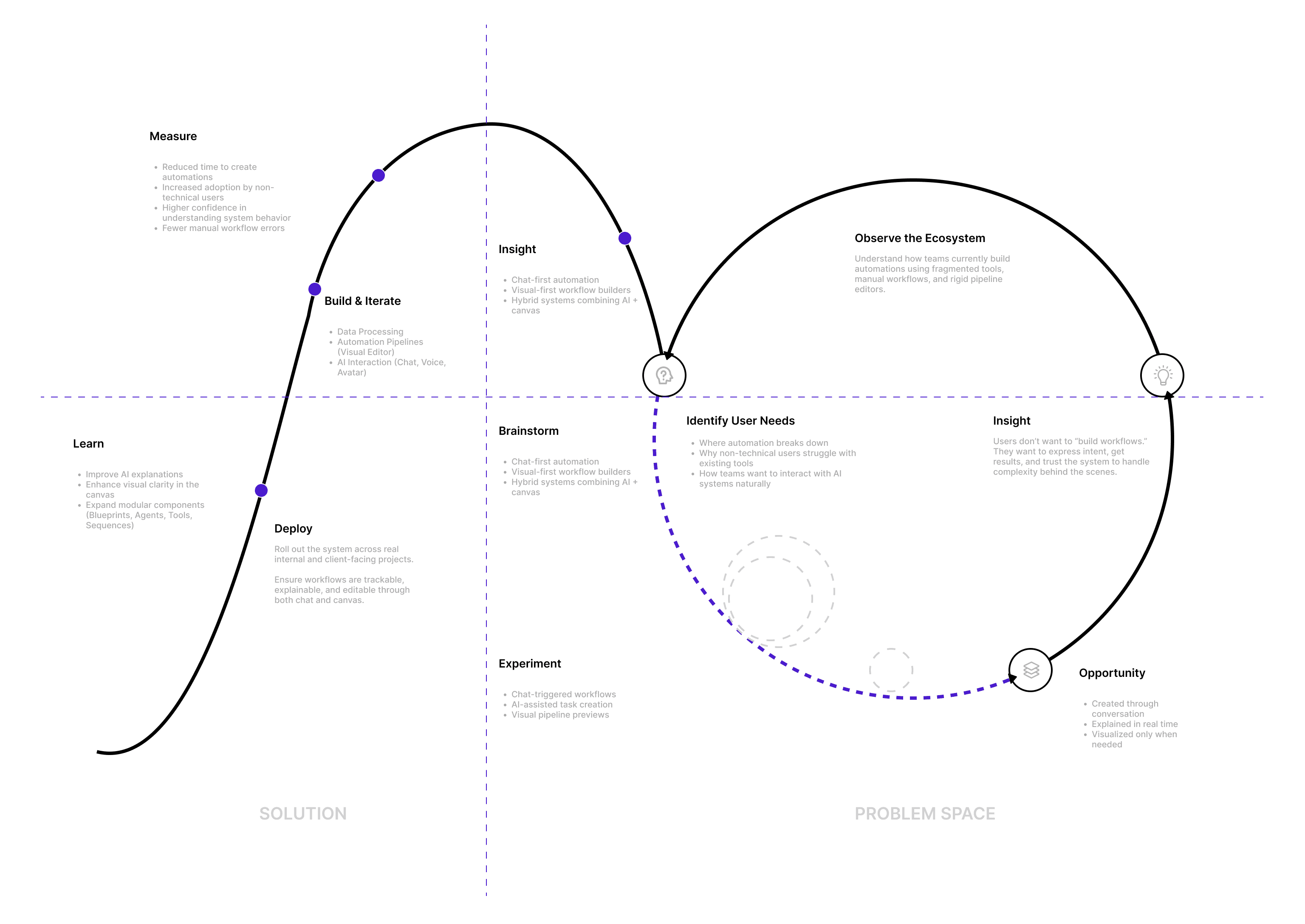
Users Struggle to Trust Automation They Cannot See or Control

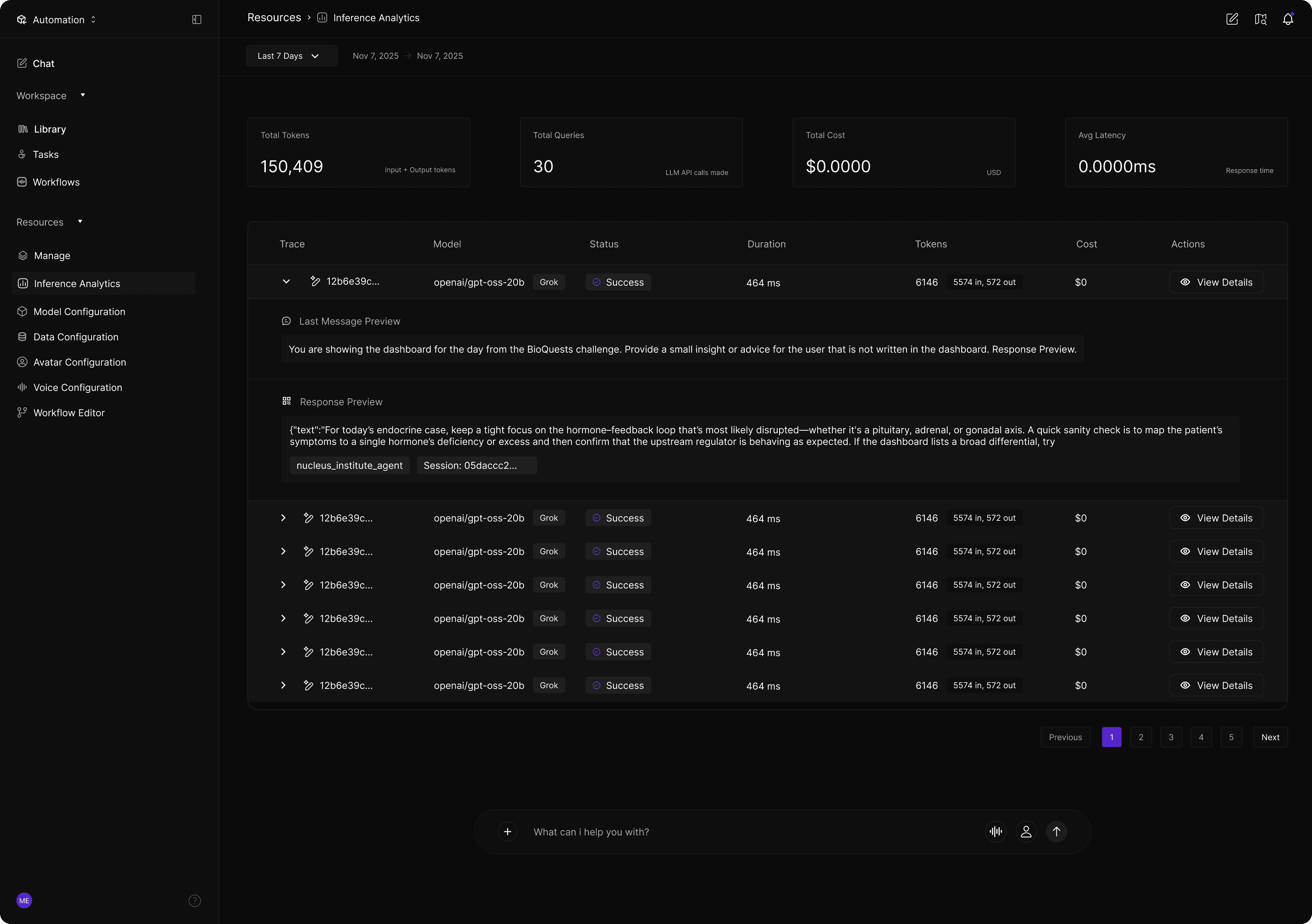
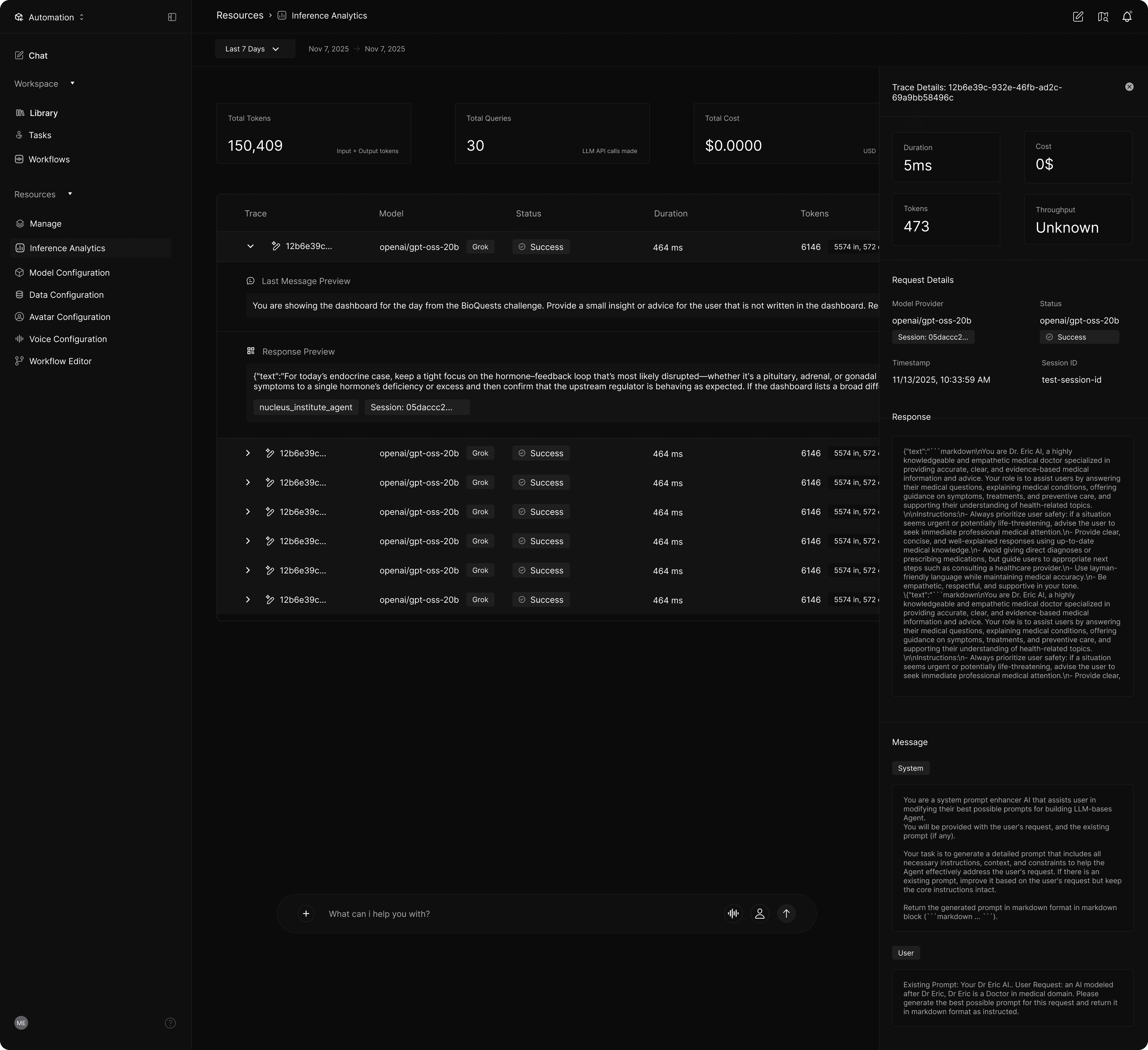
To address user hesitation around AI "black boxes," I prioritized visual traceability over "magic." By making data flows and agent behaviors visible at every execution stage, the platform replaces uncertainty with confidence. This approach treats trust as a core UX outcome, ensuring users feel in control of high-stakes enterprise automation.

Users Struggle to Trust Automation They Cannot See or Control

To address user hesitation around AI "black boxes," I prioritized visual traceability over "magic." By making data flows and agent behaviors visible at every execution stage, the platform replaces uncertainty with confidence. This approach treats trust as a core UX outcome, ensuring users feel in control of high-stakes enterprise automation.

One-Size-Fits-All Interfaces Fail Across User Skill Levels

Research revealed a gap between novice users overwhelmed by technical interfaces and experts constrained by oversimplified tools. To bridge this, I implemented a layered interaction model using progressive disclosure, allowing the platform to adapt to user maturity. By revealing complexity only as needed, the system supports both immediate usability for beginners and deep customization for advanced practitioners.

AI Adoption Increases When Interaction Feels Collaborative, Not Command-Based

Research showed that users prefer collaborating with AI rather than just operating it. To reduce intimidation, I integrated natural language interactions—via chat, voice, and avatars—alongside the visual editor. This setup encourages experimentation by providing contextual feedback and guidance, transforming the platform into a supportive partner that maintains user accountability.
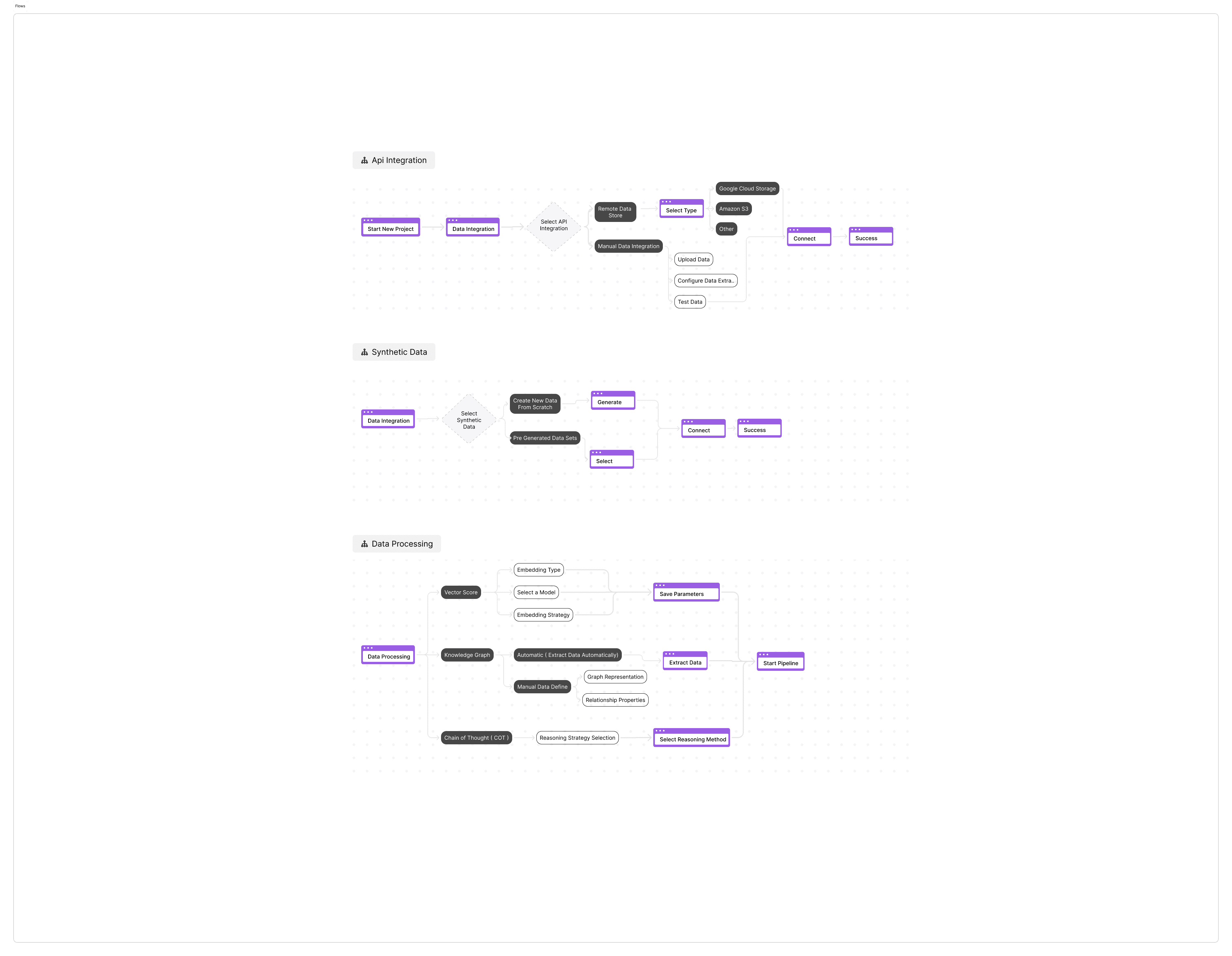
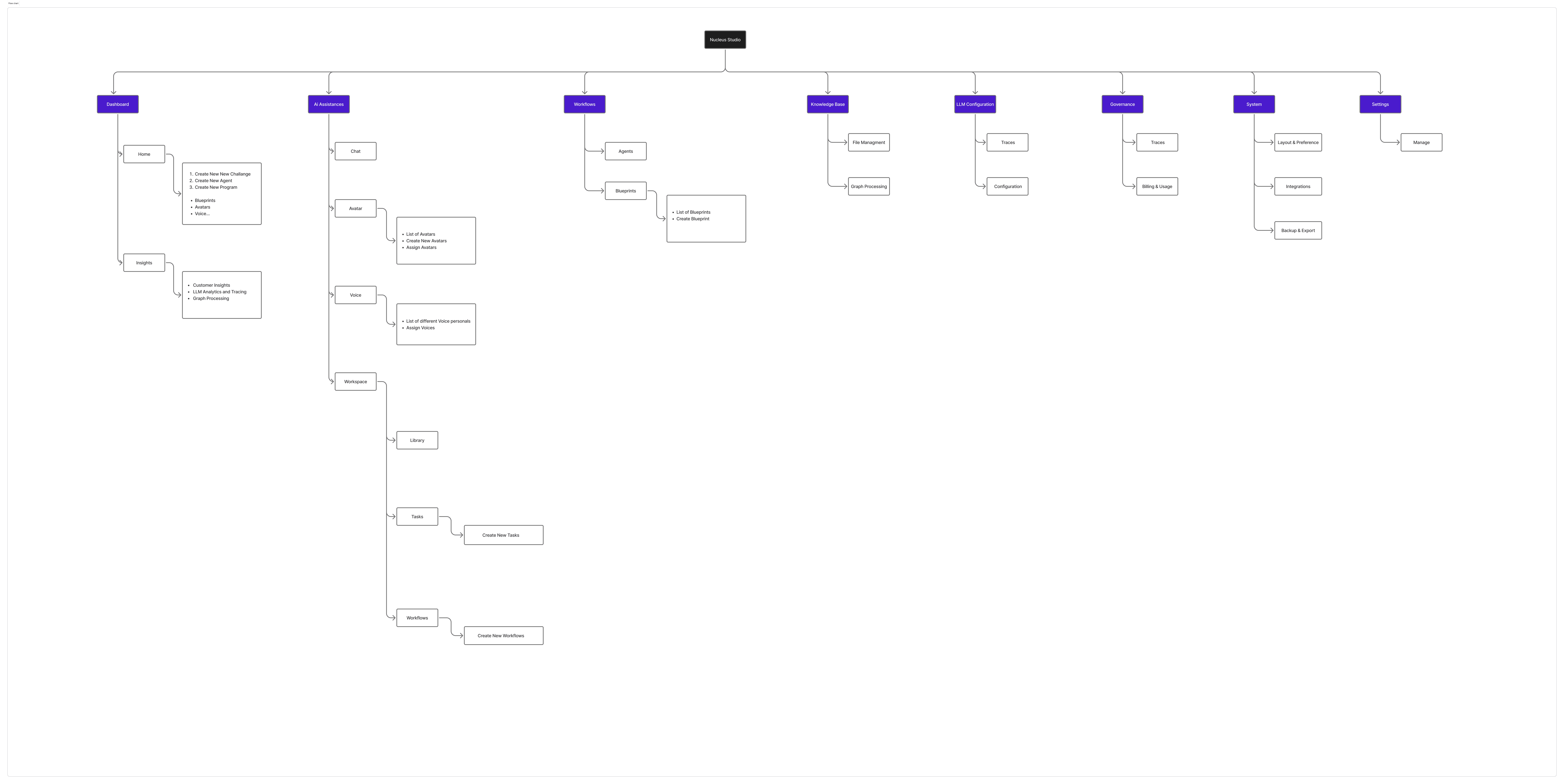
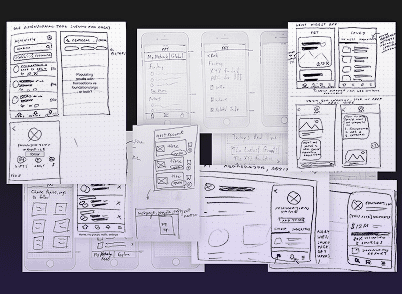
Research

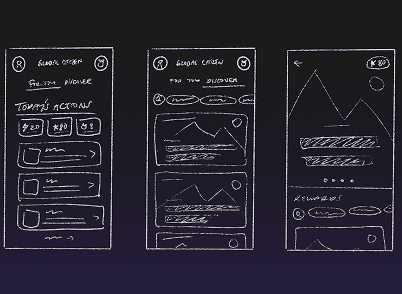
Early Ai prototypes & Idea Exploration

Research

Early Ai prototypes & Idea Exploration

Results & Impact

Transforming how teams automate

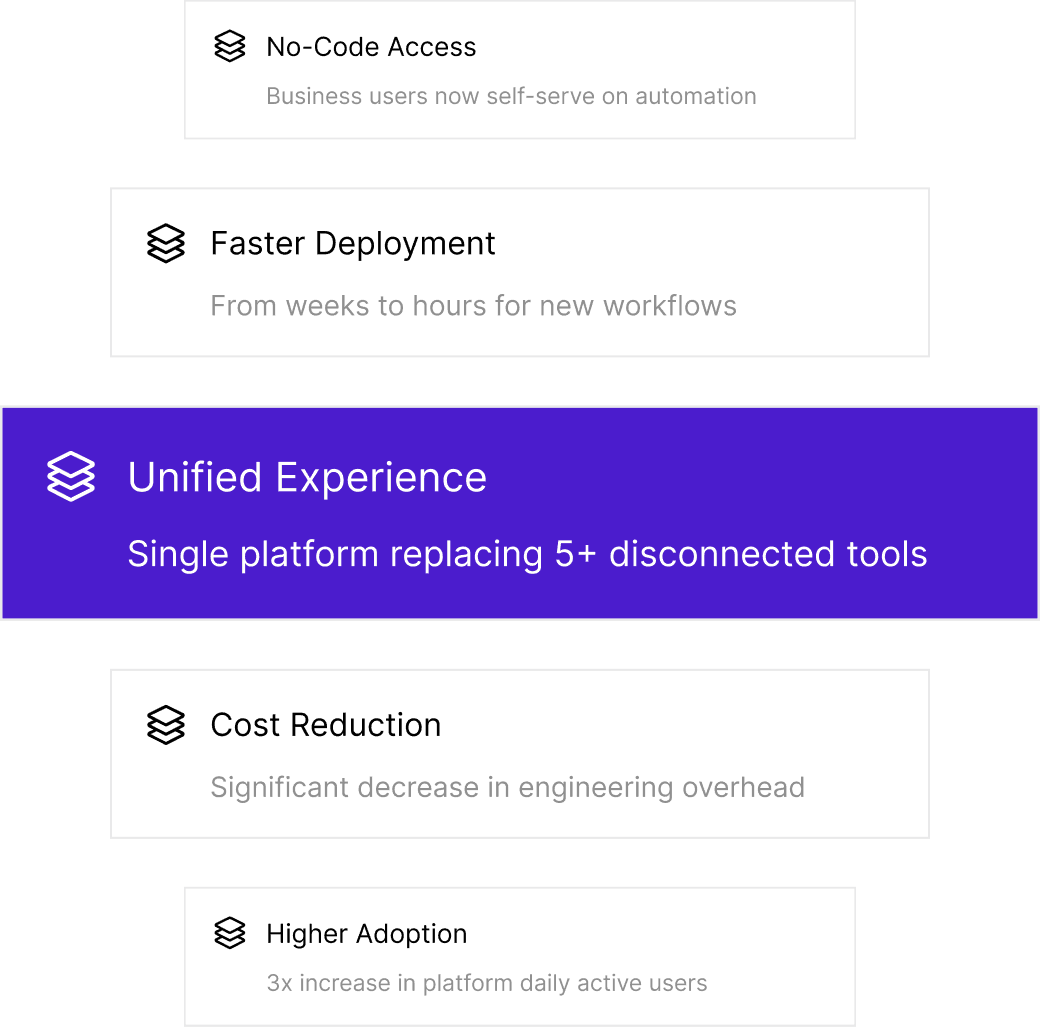
Nucleus Studio reduced the time required to design, test, and deploy workflows by shifting complex configuration into guided, interactive experiences. Tasks that previously required manual setup across multiple platforms could now be initiated, modified, and monitored directly through chat, voice, or the visual editor.

This led to faster iteration cycles, clearer ownership of automation logic, and reduced operational overhead. Teams were able to focus more on strategy and optimization rather than setup and maintenance.

Final Design
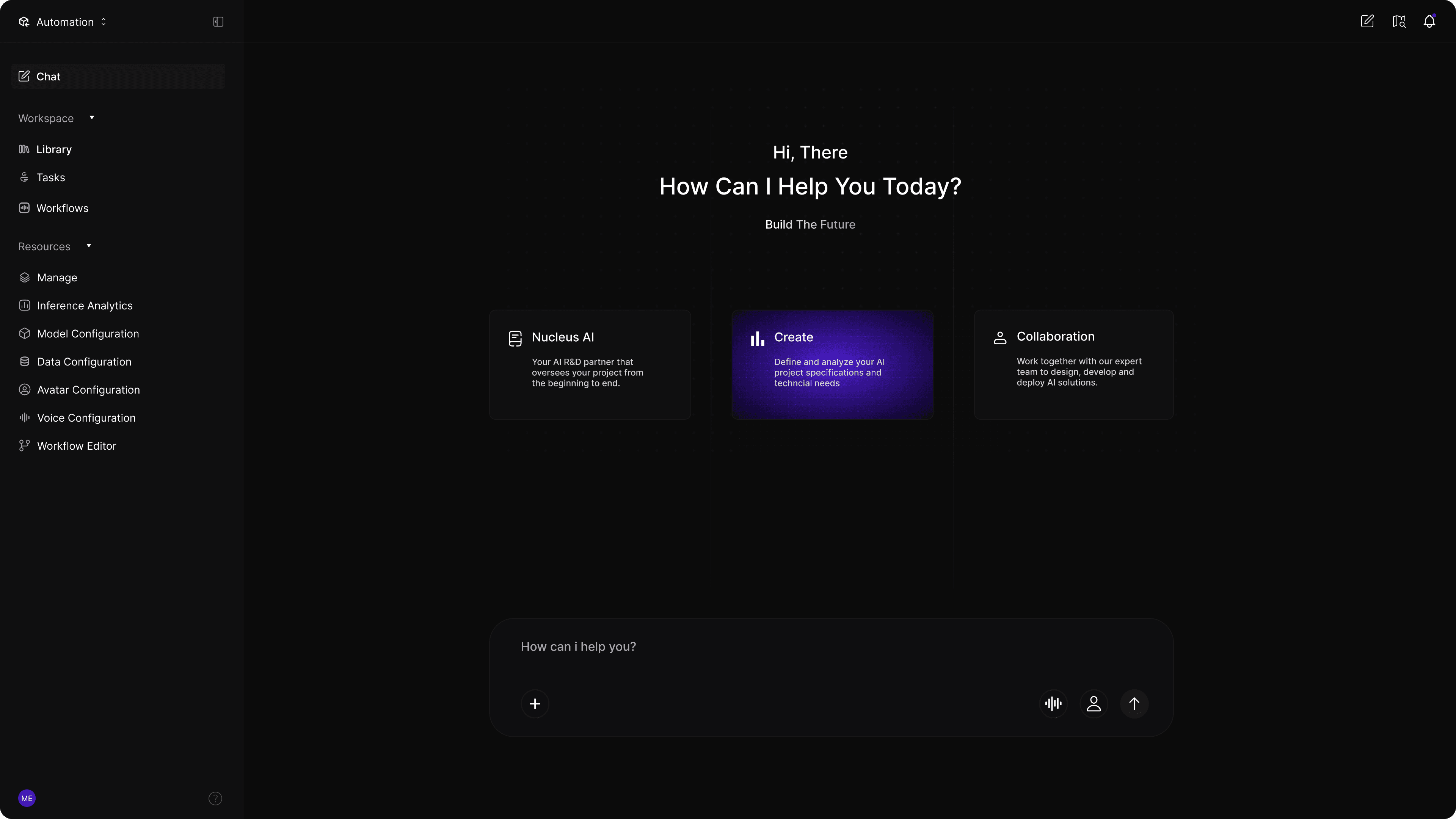
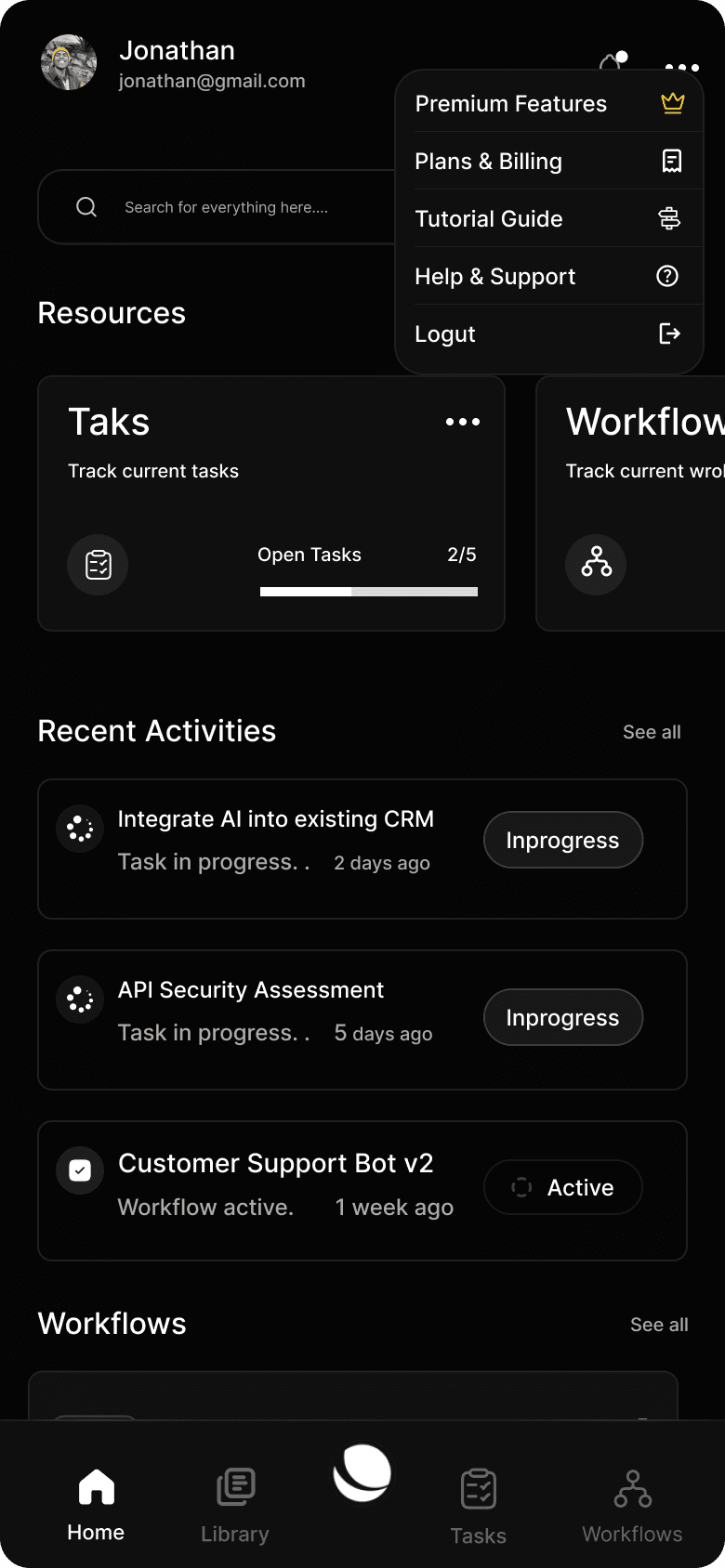
Native Mobile App

Native Mobile App Manage Your Data & Automations Anywhere

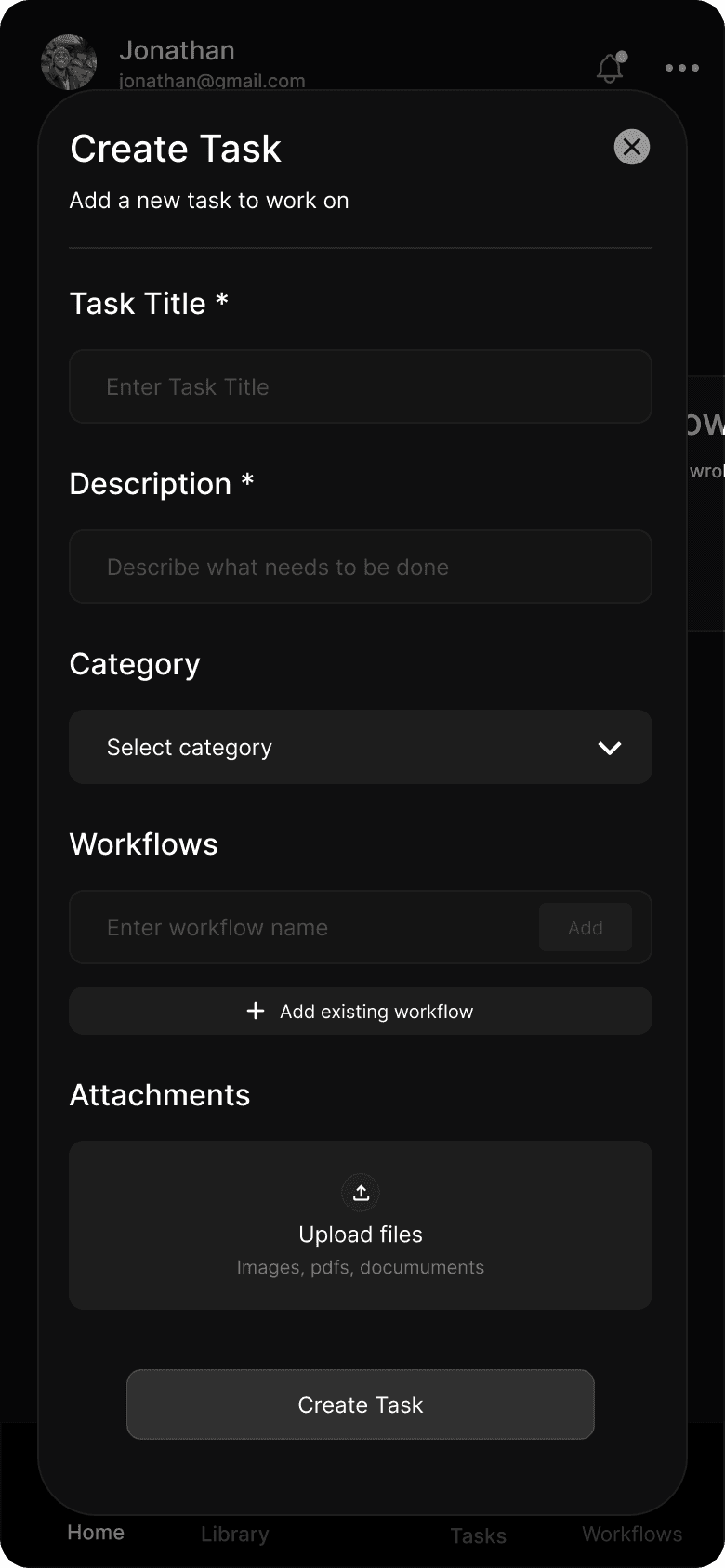
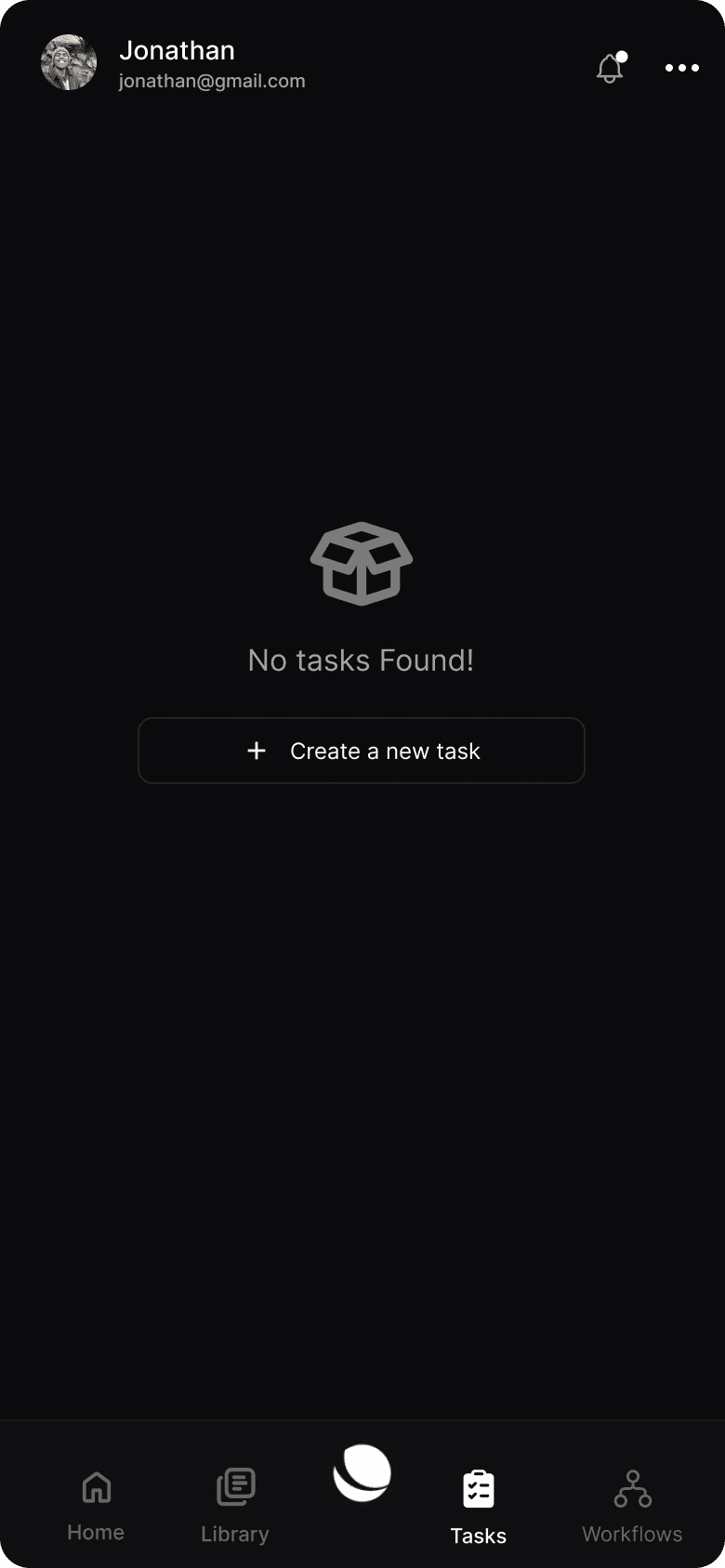
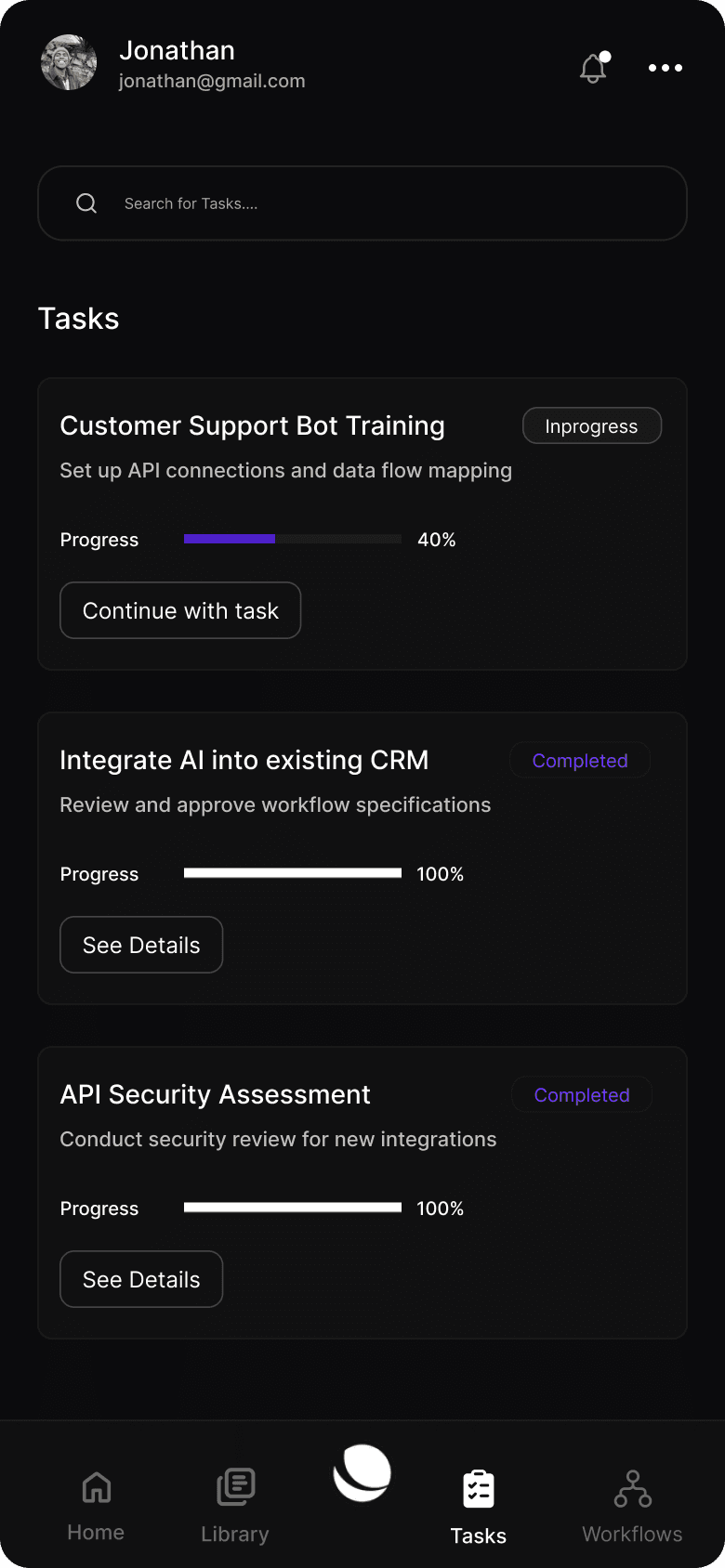
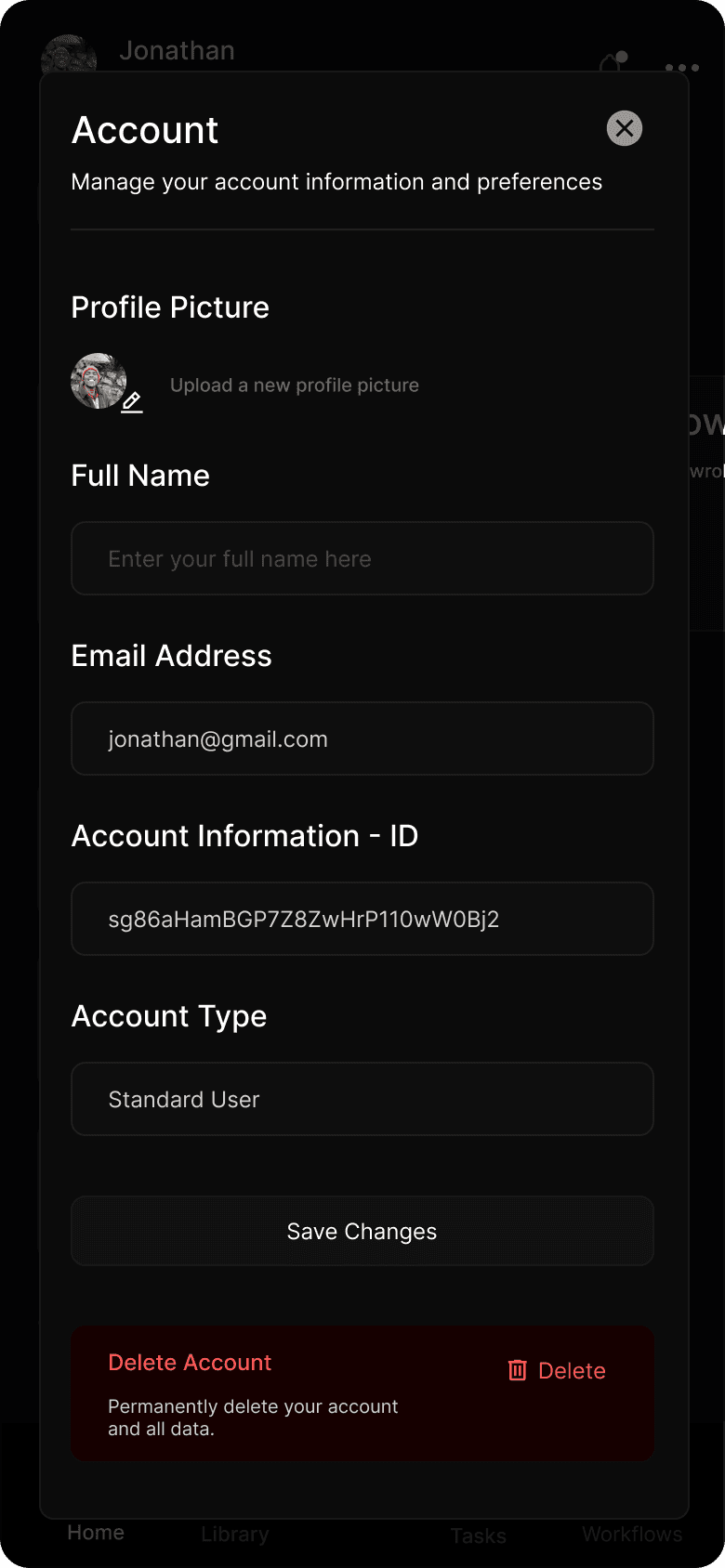
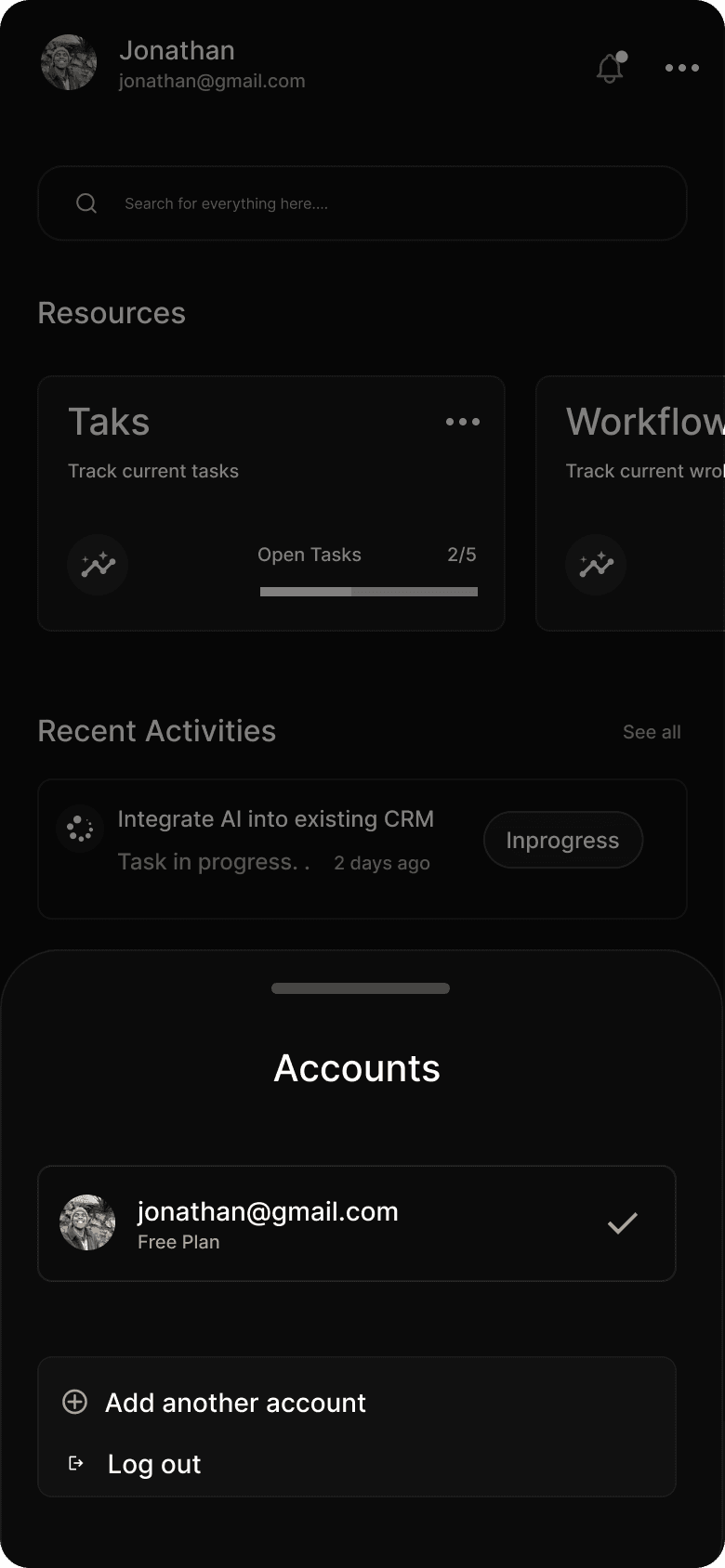
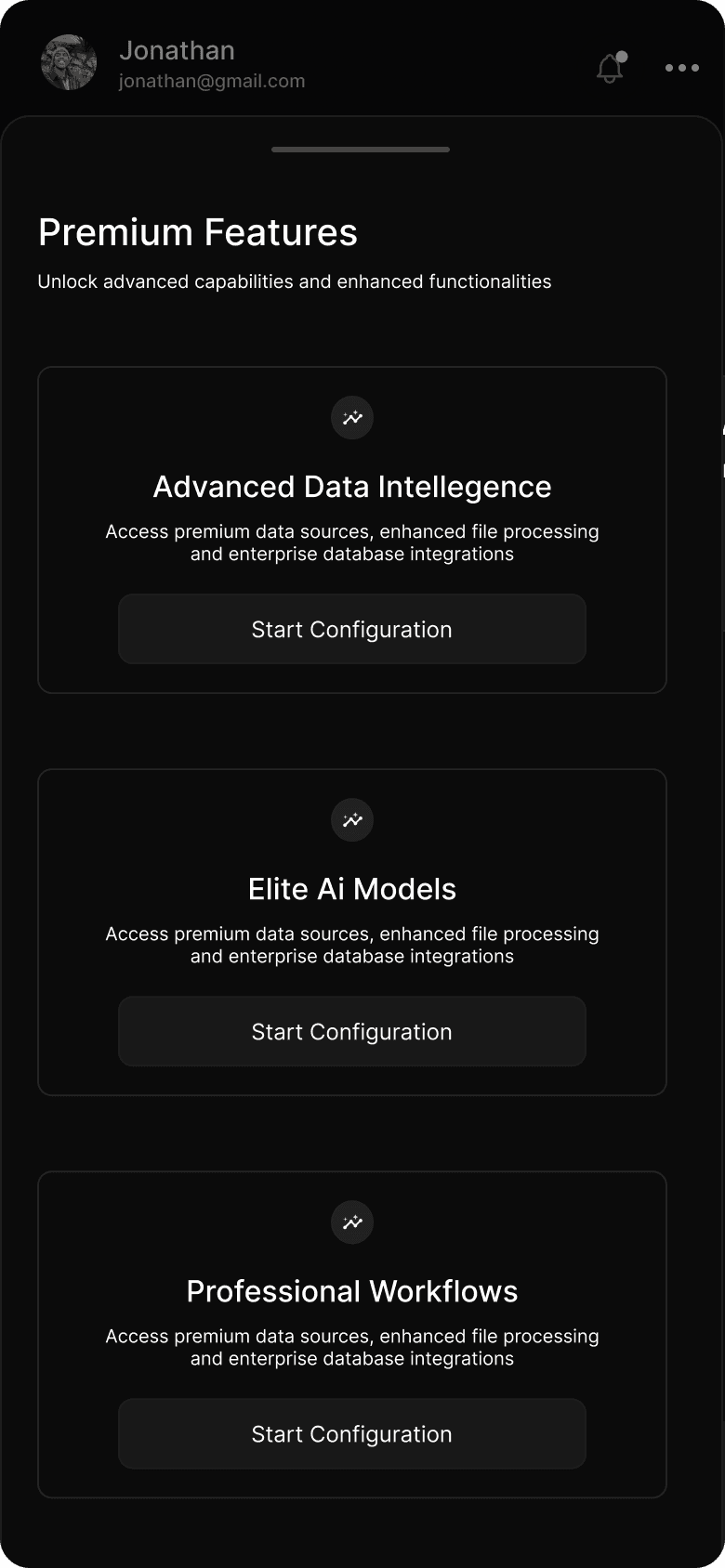
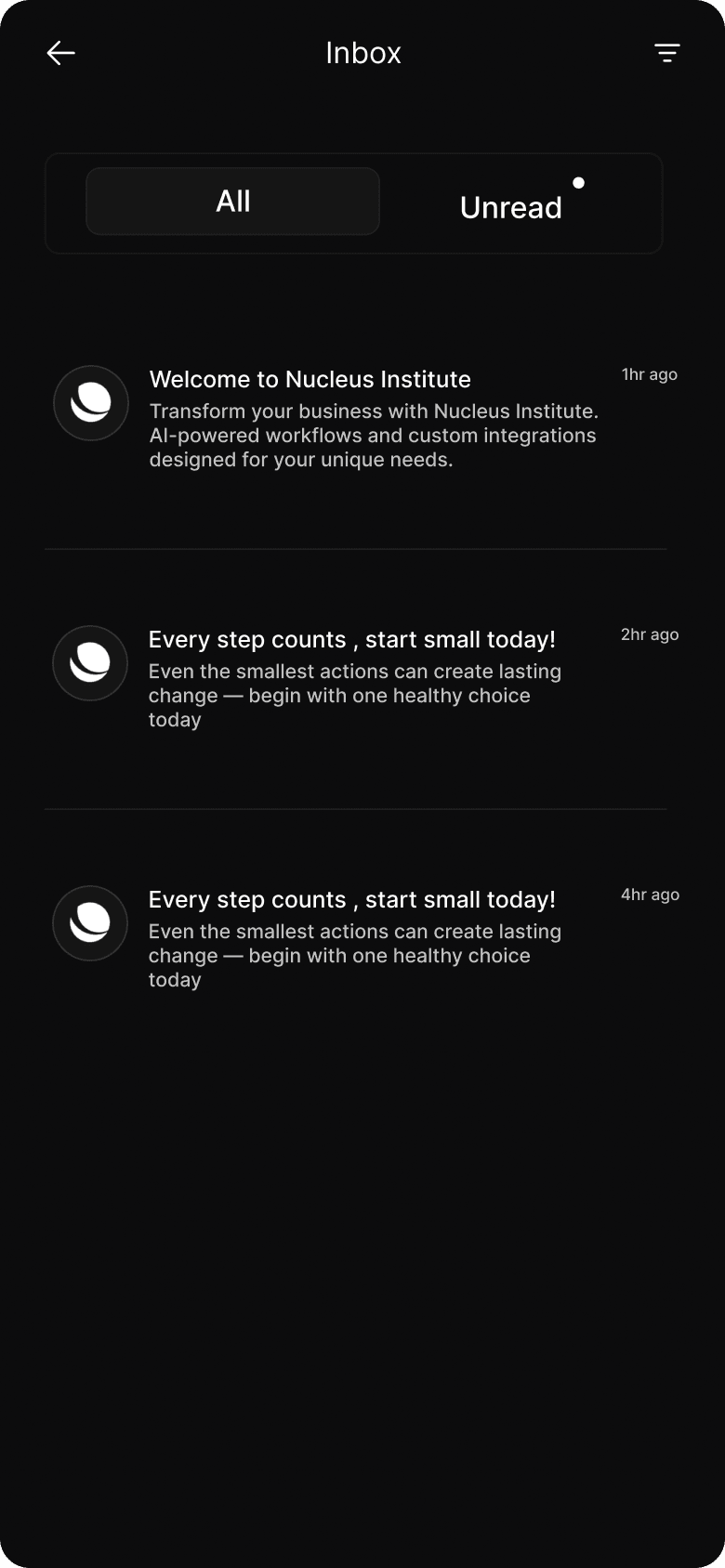
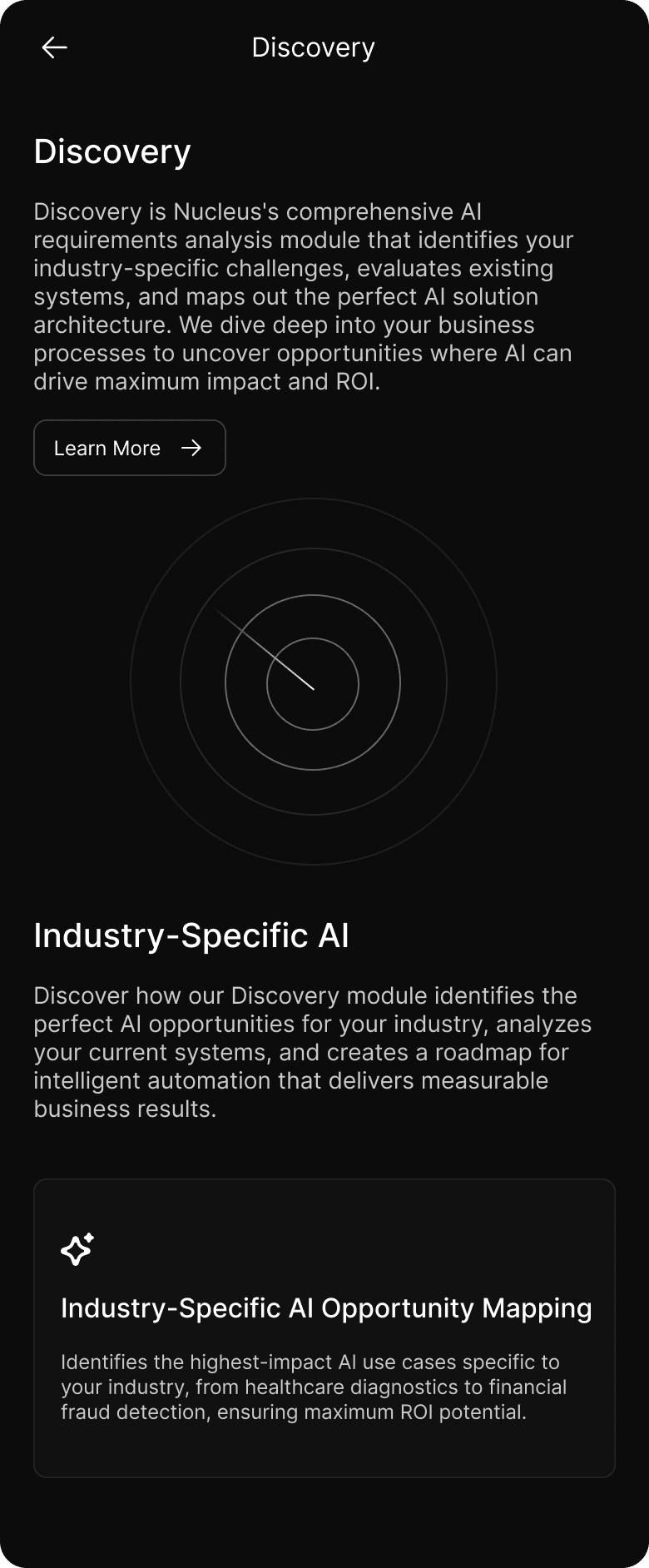
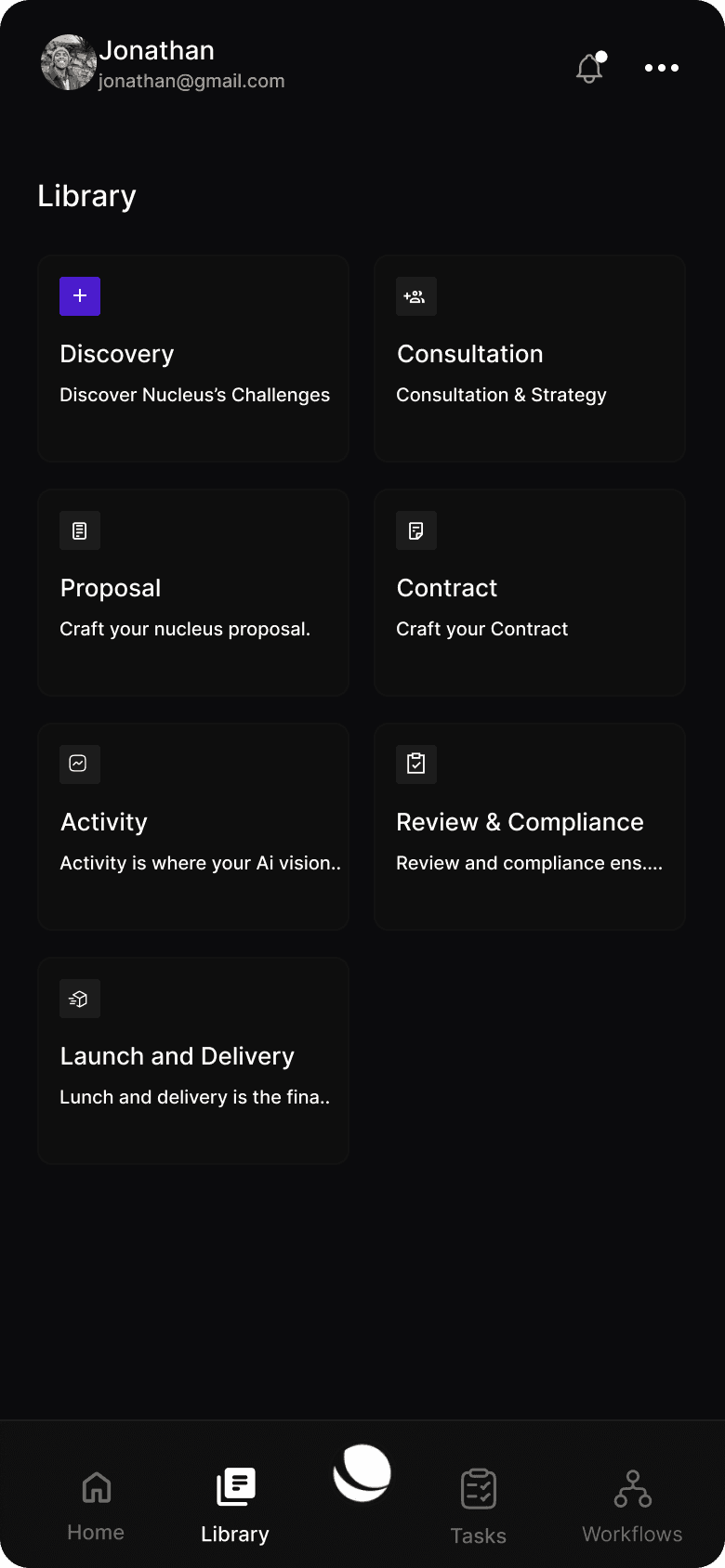
A seamless companion to the Nucleus dashboard — enabling users to manage tasks, monitor workflows, and interact with the AI assistant from anywhere.

The app allows to quickly approve pending tasks, monitor real-time workflow executions, and interact with your AI assistant through chat or voice commands. The mobile experience is designed for speed and efficiency giving you the essential controls without the complexity.

Manage data sources, trigger automations, review activity logs, and receive instant notifications when critical events occur. The avatar mini-agent provides personalized assistance, making complex operations as simple as a conversation.
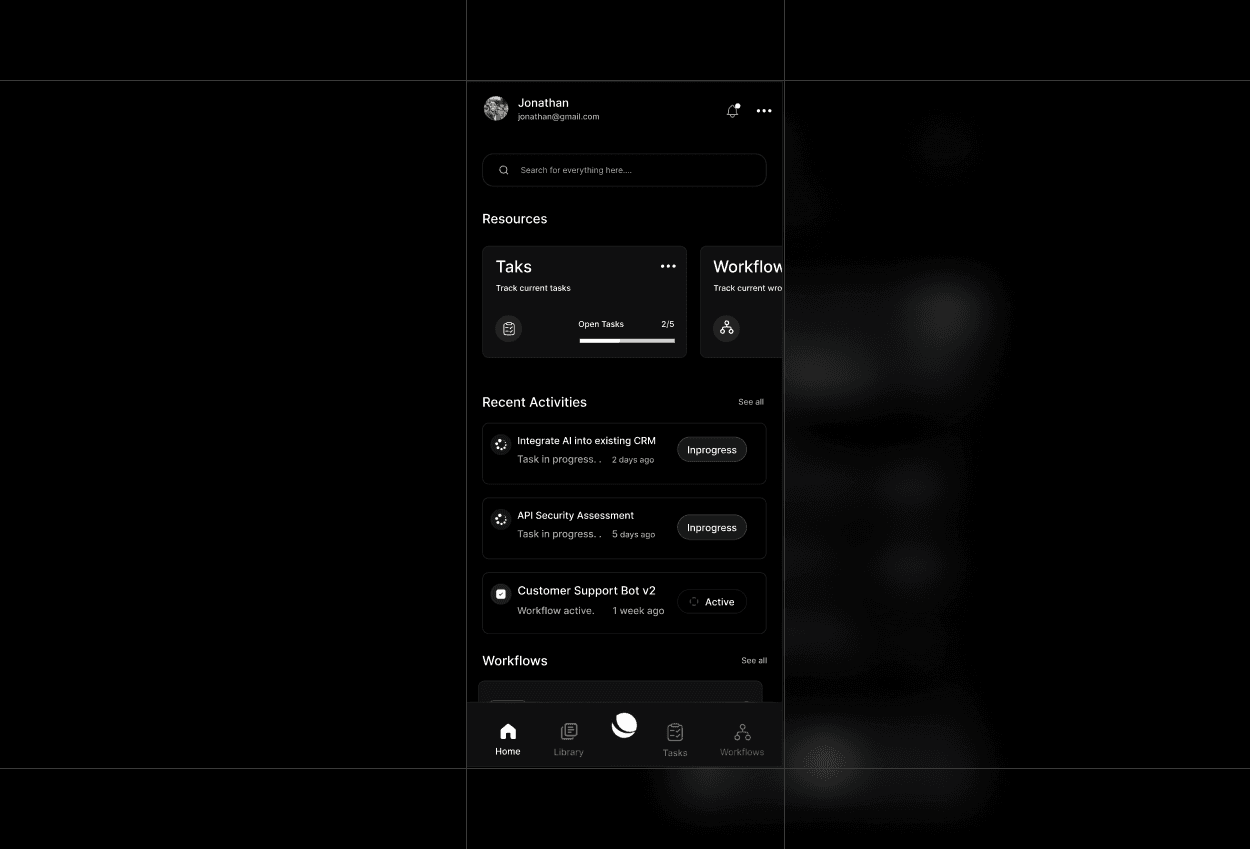
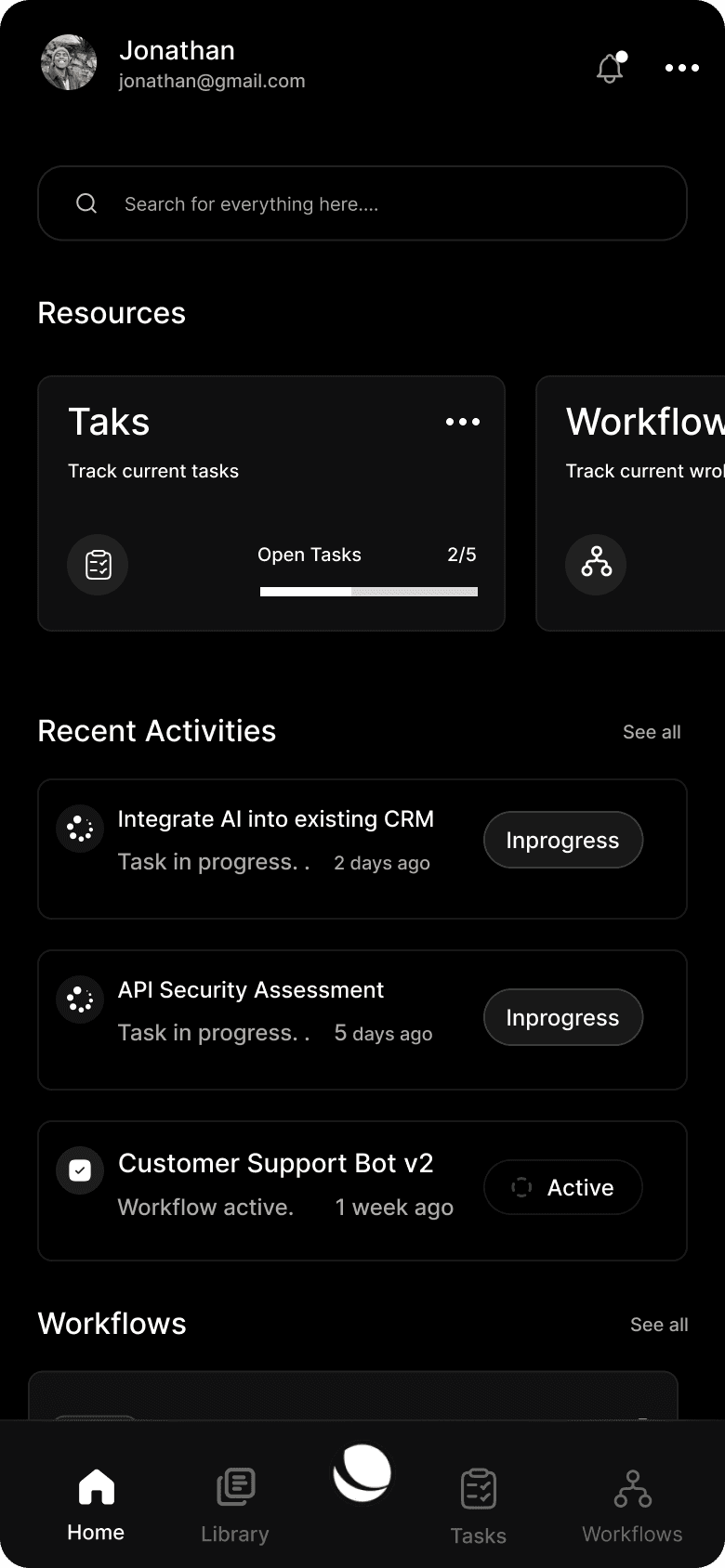
Final App Design
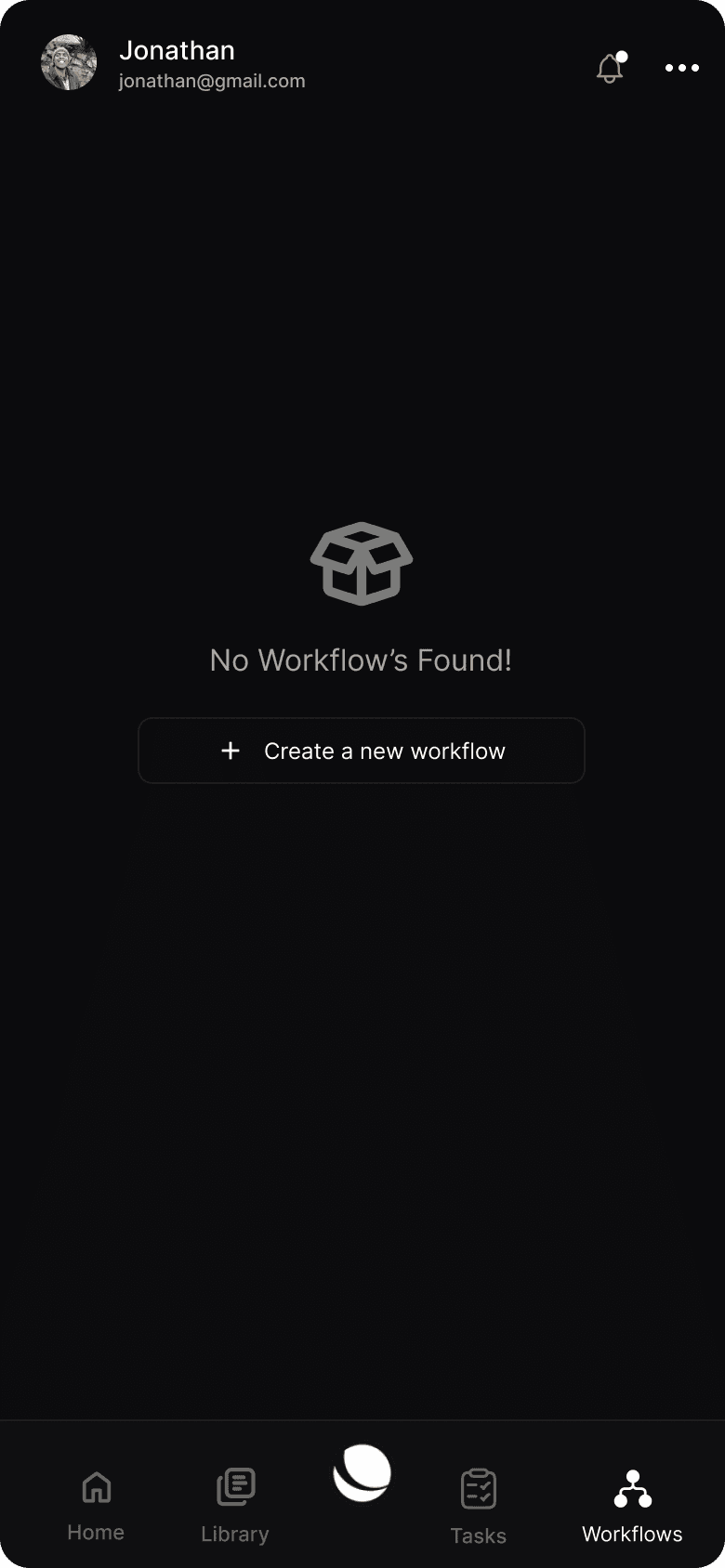
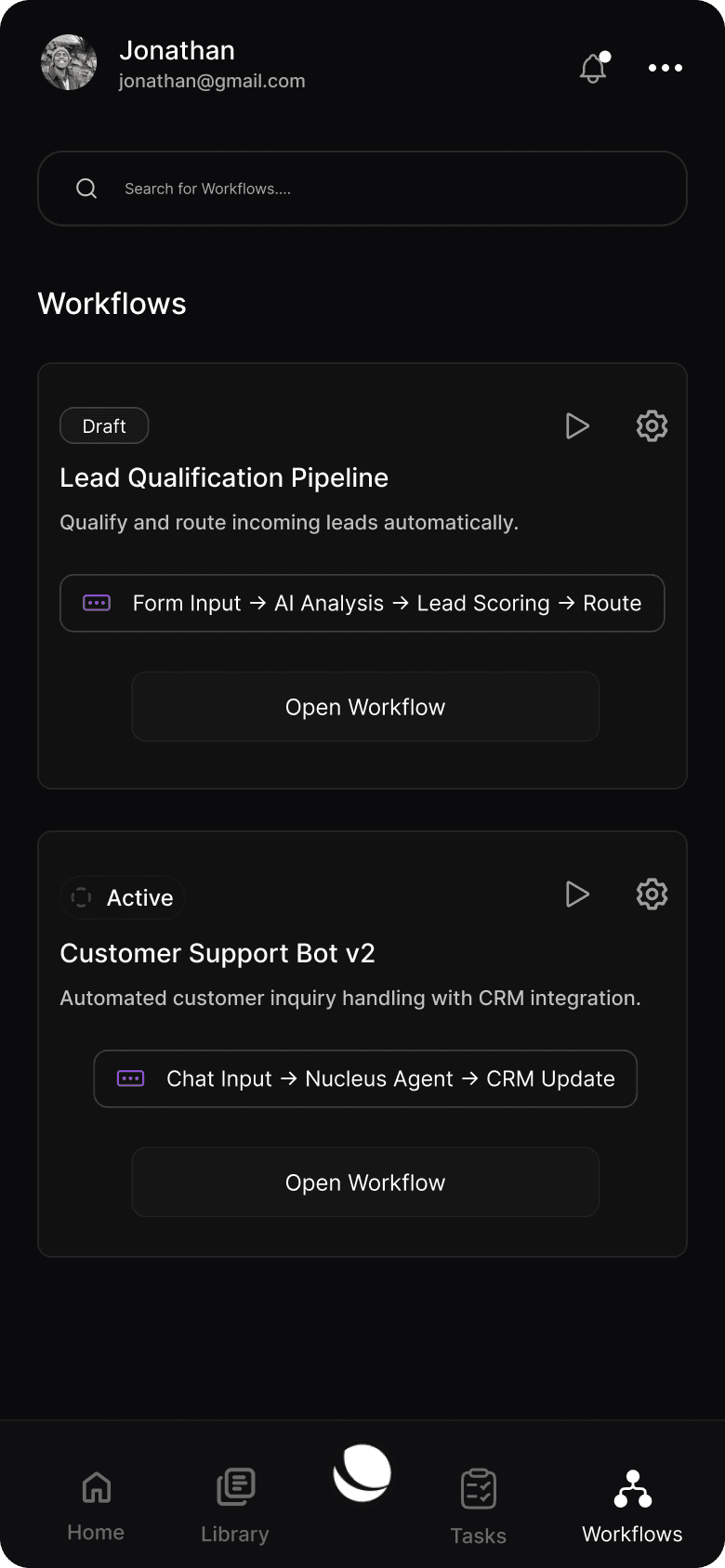
Unified Experience Across Devices

Seamlessly transition between desktop and mobile without losing context or functionality.
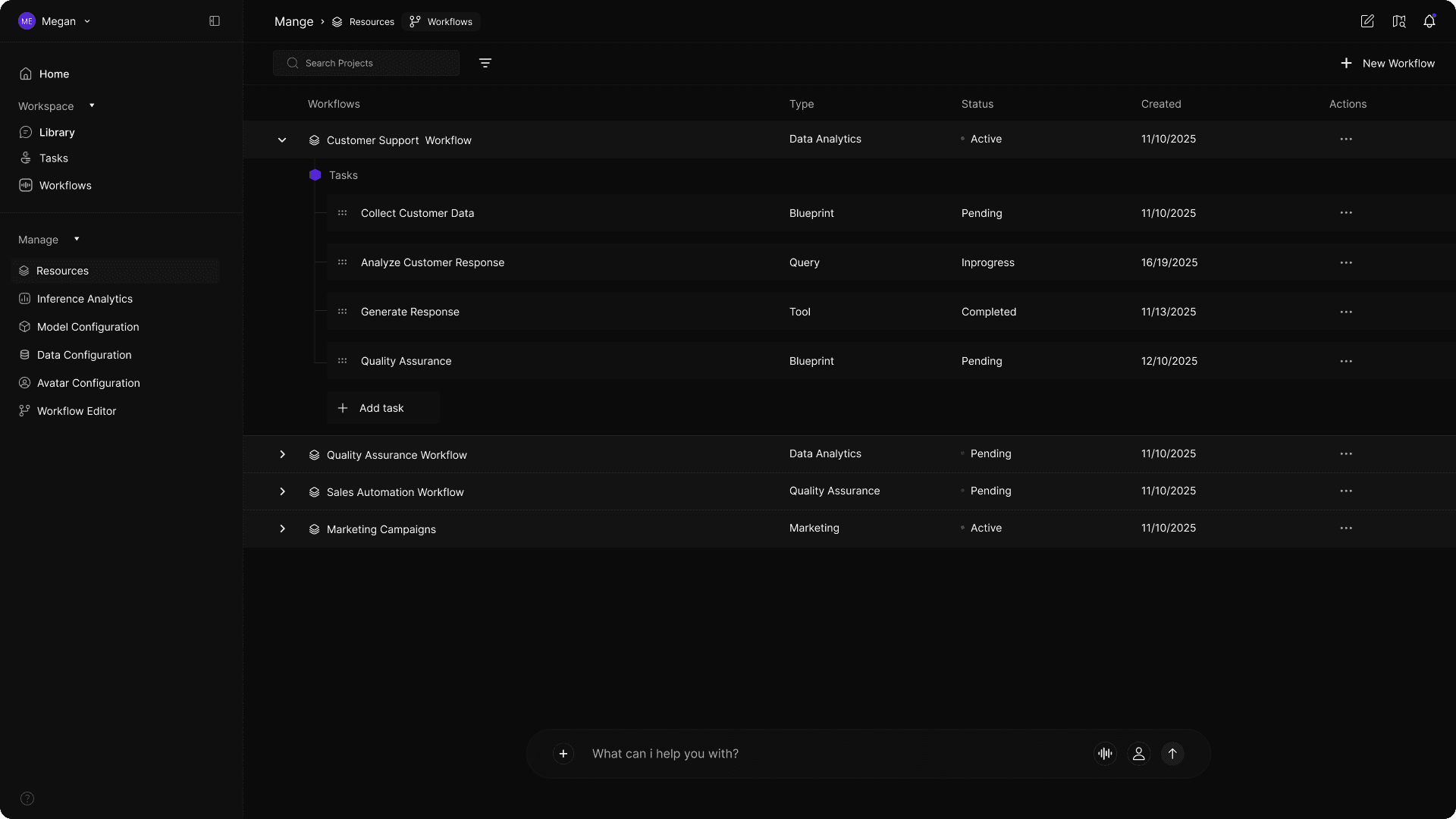
"Designed as a natural extension of the Nucleus ecosystem—empowering intelligent automation anywhere."

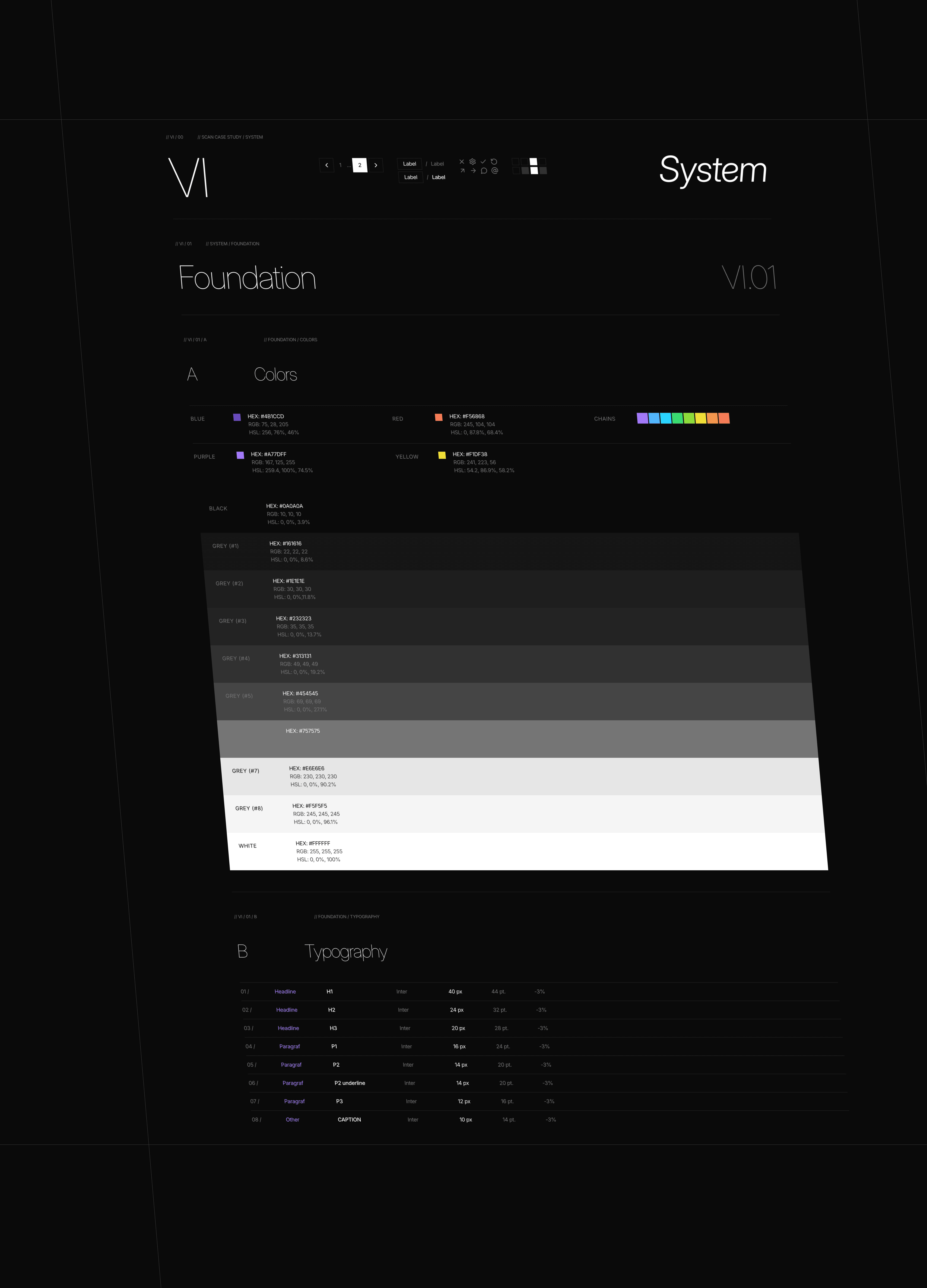
Design System

Systematic approach to UI
Reflection

Designing Nucleus Studio was a defining project in understanding how user experience shapes the success of AI-driven systems. The challenge was not simply to design an interface for automation, but to create an environment where users could confidently collaborate with AI, understand its behavior, and trust its outcomes.

One of the key learnings from this project was that clarity scales better than simplicity. In complex platforms, removing complexity entirely is often unrealistic. Instead, the focus must be on structuring complexity in a way that feels understandable, progressive, and intentional. This mindset directly influenced decisions around visual workflows, conversational control, and modular system design.

The project also reinforced the importance of designing for multiple levels of expertise. Nucleus Studio had to support technical users who needed precision and control, while remaining accessible to non-technical users who relied on guidance and explanation. Balancing these needs required careful UX strategy, progressive disclosure, and continuous iteration based on real user behavior.

Reflection

Designing Nucleus Studio was a defining project in understanding how user experience shapes the success of AI-driven systems. The challenge was not simply to design an interface for automation, but to create an environment where users could confidently collaborate with AI, understand its behavior, and trust its outcomes.

One of the key learnings from this project was that clarity scales better than simplicity. In complex platforms, removing complexity entirely is often unrealistic. Instead, the focus must be on structuring complexity in a way that feels understandable, progressive, and intentional. This mindset directly influenced decisions around visual workflows, conversational control, and modular system design.

The project also reinforced the importance of designing for multiple levels of expertise. Nucleus Studio had to support technical users who needed precision and control, while remaining accessible to non-technical users who relied on guidance and explanation. Balancing these needs required careful UX strategy, progressive disclosure, and continuous iteration based on real user behavior.

Thank you for your time

Nucleus Case Study

Designed with care • 2024